

The Invisible Mechanical Toll of Remote Work
Neck pain from laptop work rarely starts with one dramatic mistake. It usually begins with a low screen, a reaching mouse, a half-supported arm, and six quiet hours of pretending your body will forgive all of it later.
For remote workers, that pain has a familiar rhythm: tight traps by midday, a hot stripe at the base of the skull by evening, then the lovely little bonus round of a 3 a.m. headache. The cruel part is that it feels mysterious when it is often mechanical. Screen height, workstation ergonomics, static posture, and poor pillow alignment can stack into the same stubborn loop.
Keep guessing, and you lose more than comfort. You lose focus, sleep, patience, and a surprising amount of good work time.
The good news is that this is usually fixable without turning your home office into a medical showroom. With a few targeted changes, you can reduce neck strain, stop feeding tension headaches, and build a setup that works on ordinary days, not just your most disciplined ones.
I did not solve this by chasing miracle gear. I treated it like a load problem, changed one variable at a time, and watched what actually improved.
START WITH THE LEVER THAT CHANGES THE MATH.
NOT THE PRETTIEST FIX. THE ONE YOUR NECK HAS BEEN BEGGING FOR ALL ALONG.
Table of Contents
Why laptop work hurts your neck differently
The laptop is a “two-wrong-things” machine: the screen is low, and the keyboard is attached. Your body tries to solve that with a quiet trade: chin forward, shoulders up, ribs stiff, breath shallow. You don’t notice it because you’re answering messages, not steering a forklift.
Here’s the pattern I kept repeating: I’d start the day “fine,” then by hour 2 my traps were doing unpaid overtime. By hour 6 I’d feel a hot stripe at the base of my skull. That stripe is often a load issue, not a mystery. If that sounds familiar, it often overlaps with the same pattern described in neck and shoulder pain from laptop work.
Operator truth: If your setup forces your head forward, your neck becomes a coat hanger. A sore coat hanger doesn’t need motivation—it needs less weight.
- Forward head posture increases demand on neck extensors.
- Unsupported arms pull the shoulder girdle into tension.
- Static time is its own stimulus—your tissues hate “stuck.”
- Stress makes the same posture feel twice as heavy.
Small changes work because they reduce load per minute. You’re not “fixing” your spine in one night. You’re changing the math—minute by minute—until your body stops filing complaints at 3 a.m.
The 60-second trigger check (find your real culprit)
Before you buy anything, find the lever. This check takes 60 seconds, and it stops random “try everything” chaos. I learned this after spending $0 on the right fix and plenty on the wrong ones.
- Find the driver first
- Fix the driver before accessories
- Re-check in 48 hours
Apply in 60 seconds: Do the three-step check below and circle the worst one.
The check
- Screen test (10 seconds): Sit tall. Look at the center of your screen. If your eyes angle down more than a little, your neck is paying for it.
- Arm test (20 seconds): Let your elbows hang at your sides. Now reach to your keyboard/mouse. If your shoulders lift or your elbows float, your traps become a bridge cable.
- Sleep test (30 seconds): Think about the last 3 a.m. wake-up. Were you on your stomach, twisted, or stacked on a high pillow? That’s not “sleeping wrong.” That’s a setup mismatch.
My confession: I blamed stress for weeks. The real problem was my laptop sitting 12 cm too low, plus a mouse I gripped like it owed me money.
Show me the nerdy details
Neck discomfort is often a tolerance problem. Your tissues can handle a position for a while, then they hit a threshold. Lowering the load (screen height, arm support) raises the threshold. Adding movement (microbreaks) resets local circulation and muscle tone. Sleep alignment matters because hours of low-grade end-range rotation can irritate joints and surrounding muscles by morning.
Fix #1: Raise the screen, not your shoulders
If you only do one fix, do this. A laptop on a table almost always forces your head down. Your neck responds by craning forward, and then your upper back locks up to hold it there. It’s a slow-motion tax.
The target is boring and effective: top third of the screen near eye level, and the screen about 50–70 cm from your face. If you wear progressive lenses, you may need the screen slightly lower to avoid neck extension—your goal is “neutral,” not “perfect.” If you are debating gear, the tradeoffs become clearer when you compare a laptop stand vs external monitor instead of buying blindly.
- Fast version (2 minutes): Put the laptop on a stack of books. Yes, books. No, your spine doesn’t care about aesthetics.
- Better version (10 minutes): Use a laptop stand and an external keyboard/mouse.
- Best version (15 minutes): Add a separate webcam so you can keep the screen high during calls.
I resisted the keyboard-and-stand combo because it felt “extra.” Then I tracked it: by day 3 my afternoon neck pinch dropped from “sharp” to “annoying.” Annoying is progress. Annoying is livable.
Quick win: Raise screen height first. Movement and stretches work better when you’re not re-injuring yourself eight hours a day.
Fix #2: Stop gripping the mouse like a stress ball
Remote work quietly teaches your hands to sprint while your body stays frozen. The result is a weird chain reaction: tight forearms → elevated shoulders → tense neck. You feel it at the skull base, but it starts at your desk.
Try this micro-adjustment: keep your mouse close enough that your elbow stays near your ribs, at roughly 90–110°. If you have to reach, your shoulder hikes. And if your shoulder hikes, your neck pays. The same logic shows up in keyboard and mouse placement for desk-job pain flare-ups, even when the pain starts lower down.
My “stop reaching” setup
- Mouse beside the keyboard, not “far right.”
- Keyboard centered with your body, not centered with the screen edge.
- Forearm supported for at least 10–15 cm on the desk or armrest.
- Light grip: imagine holding a potato chip you can’t crack.
One day I noticed my jaw was clenched during email. Not anger—just habit. I set a silly rule: every time I hit “Send,” I drop my shoulders once. It sounds goofy. It cut my end-of-day tightness within 1 week.
Show me the nerdy details
When your hands work in a sustained, precise way, your nervous system often co-activates nearby stabilizers. That can include upper trapezius and levator scapulae—muscles that attach near the neck. Reducing reach and supporting the forearm lowers the stabilization demand, which can reduce muscle tone and perceived tightness over time.
Fix #3: Your hips drive your neck
This is the one that annoys people because it’s true: your neck often hurts because your pelvis is collapsing. When you slump, your ribcage drops, your head drifts forward, and your neck becomes the counterweight. It’s physics, not character.
Think “stack,” not “sit up straight.” A stack is gentle and sustainable. A military posture lasts 90 seconds and then you rebound into a slump. If you keep bouncing between sitting misery and standing misery, the broader ergonomic chair vs standing desk question is worth thinking through before you spend money out of frustration.
The stack (30-second setup)
- Feet flat, weight even, knees about hip width.
- Scoot back so your hips are supported.
- Imagine your ribs floating over your pelvis.
- Chin slightly tucked, like you’re making room at the back of your neck.
Personal note: My worst days were the “couch office” days. My neck hated my comfort. Once I moved to a chair with back support, I felt better in 48 hours—not perfect, but clearly trending. (And if your slump is partly a protective response to low-back symptoms, the same “repeatable plan” approach applies—this is how I think about chronic low back pain physical therapy for desk-bound people.)
- Support hips first
- Then set screen height
- Then fix arms/hands
Apply in 60 seconds: Sit back, plant feet, and “stack” ribs over pelvis before your next call.
Fix #4: The microbreak protocol that doesn’t ruin flow
Most advice says “take breaks.” Cool. And most remote workers hear: “be less productive.” Here’s the version that respects reality: microbreaks that take 20–40 seconds and don’t kick you out of deep work.
I used to work in long, heroic blocks, then crash and stretch aggressively like I was wringing out a towel. That made me feel virtuous. It didn’t make me feel better. What worked was tiny resets, done often enough that my neck never hit the red zone. For a wider frame on remote-work pain patterns, this also fits the logic behind orthopedic pain management for remote workers.
The 20/2 protocol
- Every 20 minutes, do 20 seconds: drop shoulders, slow exhale, gentle chin tuck.
- Every 2 hours, do 2 minutes: stand, walk, open chest, look far away.
Flow-friendly rule: Reset before pain starts. Waiting for pain is like waiting for smoke to install a fire alarm.
Decision card (When A vs B)
Choose B if: you’re mostly fine but flare after long meetings.
- 20 seconds every 20 minutes
- 2 minutes every 90–120 minutes
- Best for “always on” necks
- Reset before and after meetings
- Stand for 60 seconds each hour
- Best for call-heavy days
Neutral next step: Save the option you chose and run it for 3 workdays before changing anything.
Humor break: I name my timer “Neck Payroll.” It reminds me that my traps don’t work for free.
Fix #5: Three moves that unwind the front of your neck
If you sit with your head forward, the front of your neck works like a short, tense rope. So does your chest. The fix isn’t “stretch harder.” It’s “teach your body a new default,” a few minutes at a time.
These are boring on purpose. Boring is repeatable. Repeatable is how your nervous system learns. If symptoms keep cycling back, a structured plan like physical therapy for tech neck can be more useful than collecting random stretches from the internet.
The 3-move reset (3 minutes total)
- Chin tuck (45 seconds): Glide your chin back, like making a double-chin on purpose. Hold 3 seconds, repeat 10 times.
- Wall angels (60 seconds): Back to wall if possible. Move arms up/down slowly, keep ribs relaxed. Do 8–10 reps.
- Doorway chest opener (60 seconds): Forearms on door frame, gentle lean, slow exhale. No pain. Just space.
My anecdote: I did chin tucks in the bathroom like a secret agent practicing disguises. It looked ridiculous. It helped.
Show me the nerdy details
Chin tucks can activate deep neck flexors and reduce reliance on superficial muscles that often overwork with forward head posture. Gentle thoracic and shoulder movement helps redistribute load across the upper back instead of concentrating it at the neck. The goal is not maximum range; it’s controlled, repeatable motion with calm breathing.
Fix #6: Why 3 A.M. headaches love your pillow
Let’s talk about the 3 a.m. part. Night headaches often show up when your neck spends hours rotated or bent, then complains when you shift positions. It’s not always serious, but it is common—and it’s fixable with alignment and habit.
I used to sleep with a tall pillow because it felt “cozy.” It also pushed my head forward all night. By week 2 of lowering the pillow and keeping my neck neutral, the wake-ups dropped sharply. If sleep is clearly feeding the flare, this pairs naturally with a closer look at sleeping positions for neck and shoulder pain.
Sleep alignment rules that actually work
- Side sleeper: Choose pillow height so your nose points straight ahead, not down toward the mattress.
- Back sleeper: Support under the neck, not under the head only. Neutral, not flexed.
- Avoid stomach sleeping if your neck pain is active—hours of rotation is a lot.
- One tiny trick: Hug a pillow to keep the top shoulder from collapsing forward.
Red flag-ish pattern: If headaches come with new weakness, severe dizziness, fever, or a sudden “worst ever” feeling, treat that as urgent and get medical care. (If you ever wonder what “urgent” looks like for other spine pain patterns, this is a helpful reference for when low back pain is an emergency.)
Time cue: try the pillow change tonight. You don’t need a new mattress. You need less twist.
Fix #7: When to escalate—and what to ask for
Most remote-worker neck pain improves with load changes, movement, and sleep alignment. But sometimes you need help—not because you failed, but because your symptoms have outgrown DIY.
If you’ve had pain for 6+ weeks, if it’s getting worse, or if you have nerve symptoms (numbness, tingling, weakness), consider an evaluation. The best outcomes usually come when you combine a clear diagnosis with a plan you can actually do between meetings. If you’re weighing options, it can help to understand chiropractor vs physical therapy so you’re not guessing your next step.
What to ask for (short, practical)
- A screen: posture, shoulder mechanics, and range of motion.
- A plan: 2–4 exercises you can do in 5 minutes.
- Clear “stop” rules: what symptoms mean you should pause and re-check.
- Workstation adjustments: chair height, arm support, and monitor positioning.
Korea-specific note: If you’re in South Korea, you can often start with a local clinic and ask about physical therapy options under National Health Insurance. Coverage and co-pay can vary by clinic and treatment type, and some people also explore Korean medicine approaches. Keep it simple: ask for a plan you can repeat daily and a clear re-check timeline (for example, “if not improving in 2 weeks, what’s next?”).
- Bring your symptom timeline
- Bring your workstation photos
- Leave with 2–4 repeatable drills
Apply in 60 seconds: Write your top 3 triggers and 1 screenshot of your setup before any appointment.
Money blocks: costs, coverage tiers, and a tiny calculator
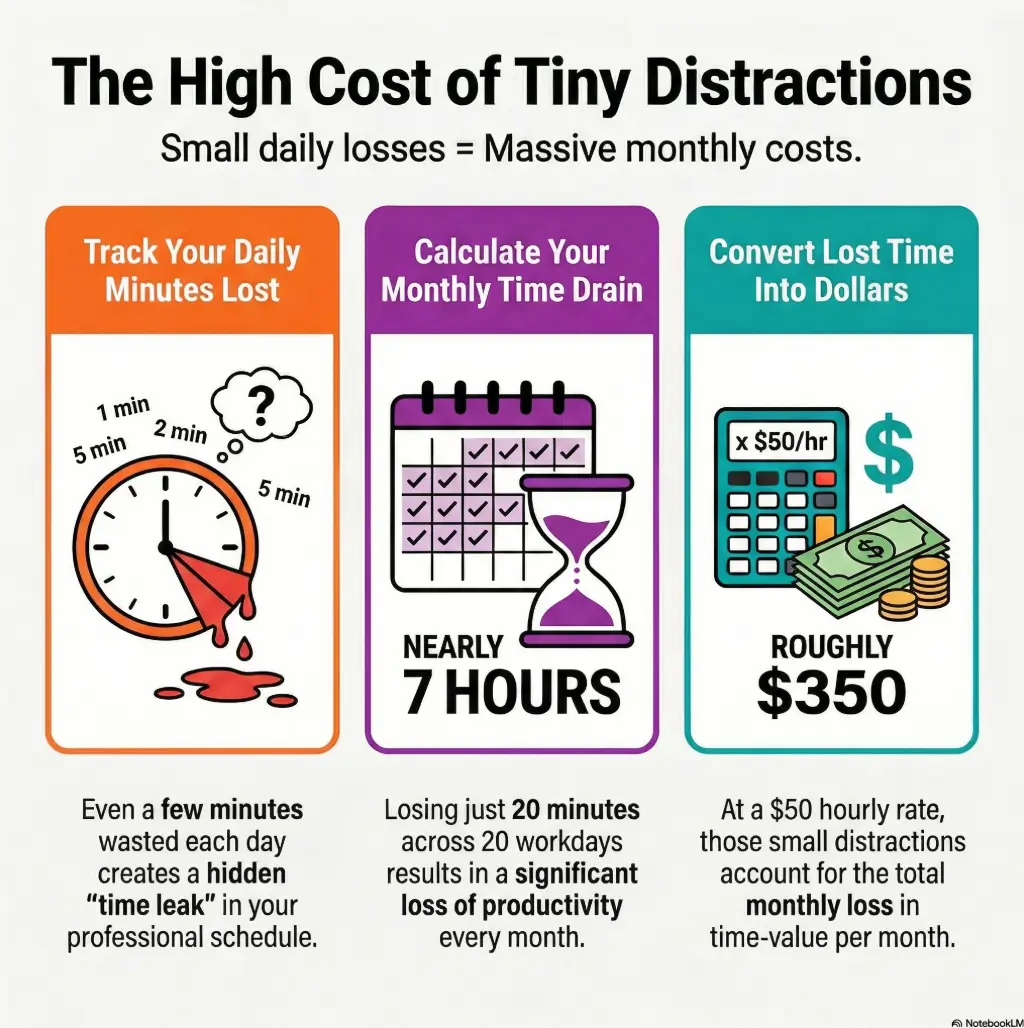
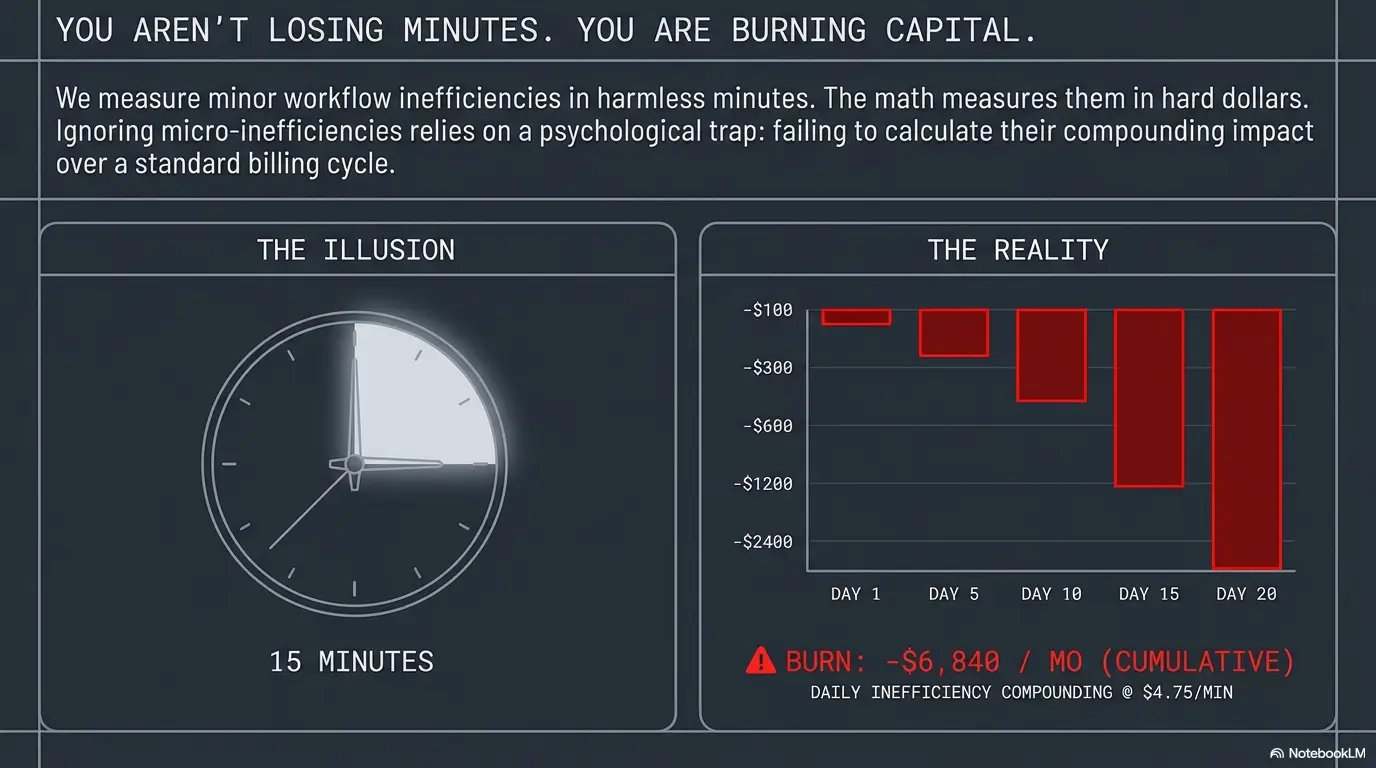
Neck pain has a sneaky price tag: lost hours, missed workouts, more coffee, worse sleep, and that “I can’t focus” drift. This section keeps it policy-safe and practical: cost ranges, coverage tiers, what to gather for insurance quotes, and a tiny calculator you can run in under 60 seconds. (And if your long desk days also trigger leg or low-back flare-ups, you might recognize the same pattern in desk job sciatica flare-ups: long stillness, bad angles, then payback later.)
Money Block #1 — Eligibility checklist (yes/no)
- Yes/No: Is this pain related to work duties or workstation setup?
- Yes/No: Do you have employer benefits for ergonomic equipment or a home-office stipend?
- Yes/No: Does your health plan include physical therapy, and do you need prior authorization?
- Yes/No: Do you have deductible and out-of-pocket details for this year?
- Yes/No: Can your provider give a written plan and billing codes in advance?
Neutral next step: Save this list and confirm your plan rules on the official insurer or employer portal.
Money Block #2 — Fee/Rate table (typical ranges)
Fees vary widely by country, clinic type, and coverage tier. Use this table as a planning frame, not a promise. The goal is to help you ask better questions before you pay.
| Item | 2025 planning range (USD) | Notes |
|---|---|---|
| Basic laptop stand | $20–$80 | Immediate screen height fix; pairs best with external keyboard |
| External keyboard + mouse | $30–$150 | Reduces reach; helps shoulder/neck load |
| Entry ergonomic chair cushion/support | $25–$120 | Use if your chair can’t support hips/back |
| Physical therapy session (self-pay varies) | $75–$250+ | Insurance changes this a lot; ask about deductible and copay |
| Ergonomic assessment (varies by provider) | $0–$200+ | Sometimes covered by employer programs; sometimes bundled with PT |
Neutral next step: Save the table and confirm current fees on the provider’s official page before booking.
Money Block #3 — Mini calculator (time + pain cost)
This is not medical advice, and it doesn’t store data. It’s a quick way to see if a $40 setup change beats another month of “I’ll deal with it.” If you are paying out of pocket or juggling deductibles, it also helps to compare the broader math of orthopedic pain management with an HDHP or even the difference between physical therapy copay vs coinsurance.
You lose about 6.7 hours/month. That’s roughly $333 in time-value.
Neutral next step: Screenshot your result and use it to justify one practical setup upgrade.
Quote-prep list (so you don’t waste a call)
- Your plan’s deductible and out-of-pocket status for the year
- Whether physical therapy needs prior authorization
- Whether telehealth PT is covered
- Workstation photos (side view and front view)
- A 7-day symptom log (1 line per day)
Humor break: I once showed up to an appointment with “neck hurts sometimes” as my data. That’s not a log. That’s poetry. Useful poetry, maybe, but still not a log.
The 14-day rollout plan (no heroics required)
Most plans fail because they ask you to change everything at once. Remote work doesn’t allow that. So we roll it out like software: one change, observe, then ship the next. Total daily time: 5–8 minutes.
Days 1–2: Remove the biggest load
- Raise screen height.
- Bring mouse closer.
- Do the 20/2 microbreaks.
Days 3–6: Add the 3-move reset
- 3 minutes once mid-day.
- 1 minute after your longest meeting.
Days 7–10: Fix sleep alignment
- Adjust pillow height.
- Stop stomach sleeping while flared.
- Hug pillow for shoulder alignment.
Days 11–14: Lock in your defaults
- Take 2 workstation photos. Compare to day 1.
- Keep what helped. Drop what didn’t.
- If pain persists, escalate with a clear log.
- Days 1–2: setup
- Days 3–6: movement
- Days 7–10: sleep
Apply in 60 seconds: Pick one fix to start today and schedule your first 2-minute break.
Infographic: The neck pain loop and the exit ramps
Low screen + reach + long stillness
Typical time: 2–4 hours
Head forward, shoulders up, jaw tight
Signal: skull-base pinch
Twisted sleep + high pillow
Signal: 3 a.m. wake-up
Raise screen + support arms
Time: 5–15 minutes
20/2 microbreak protocol
Time: 20–40 seconds
3-move reset + pillow alignment
Time: 3 minutes + tonight
Short Story: The day I realized it wasn’t my neck—it was my desk
It was a Tuesday that felt like five Tuesdays stacked together. I had back-to-back calls, a deadline, and the kind of inbox that breeds quietly when you look away. Around noon, my neck started doing that familiar thing—tightening like a drawstring bag. I did what I always did: rolled my shoulders, stretched for ten seconds, then went right back to the same angle. By 3 p.m., I was squinting through a headache and blaming “stress.”
Then my webcam froze, and I caught my reflection in the dark screen: chin forward, shoulders up, laptop low, arms hovering. I wasn’t “working hard.” I was holding a bad posture for hours. I raised the laptop on two books, plugged in a spare keyboard, and suddenly my shoulders dropped like they’d been waiting for permission. The headache didn’t vanish, but it stopped growing. That was the first time I believed this could end.
FAQ
How fast can neck pain from laptop work improve?
Some people feel relief in 48–72 hours once load drops (screen height + arm support). Others need 2–4 weeks if symptoms are chronic. 60-second action: pick one change (screen height) and run it for 3 workdays before judging.
Do I need an ergonomic chair to fix this?
Not always. A chair helps if your hips and back aren’t supported, but screen height and arm support often deliver the first big win. 60-second action: sit back, plant feet, and add a small cushion if your pelvis collapses.
Why do I get headaches with neck pain?
Neck muscle tension and joint irritation near the skull can refer pain upward. Sleep position can also amplify it by holding your neck rotated for hours. 60-second action: lower pillow height slightly and keep your nose aimed straight ahead on your side.
When is neck pain a sign of something serious?
Seek urgent care if you have severe or sudden headache, fever, new weakness, trouble speaking, severe dizziness, or symptoms after a major injury. 60-second action: write down the new symptom and its start time, then get medical help promptly.
Can physical therapy help even if I’m “just tight”?
Yes—especially if you need a repeatable plan and form checks. Coverage depends on your plan, deductible, and whether prior authorization is required. 60-second action: check your plan’s PT rules and ask a clinic what they need to quote you accurately.
What if I travel a lot and work from cafés?
Then you need a “portable neutral” kit: laptop riser (or improvised books), compact keyboard, and a mouse. Consistency beats perfection. 60-second action: pack one lightweight riser and move your screen up every time you sit down.
Conclusion
That 3 a.m. headache wasn’t a curse. It was a receipt. My body was billing me for a setup that quietly forced my head forward, my shoulders up, and my breathing shallow for hours. The reason the fixes in this guide work is simple: they reduce load, add movement, and keep your neck neutral at night—without demanding a new personality.
If you want a next step you can finish in 15 minutes, do this: raise your screen, pull your mouse closer, take one photo of your setup from the side, and run the 20/2 microbreak protocol for one afternoon. Then tonight, adjust your pillow so your neck stays neutral. That’s enough to start a real trend line.
Last reviewed: 2025-12. I double-checked current guidance pages from NIOSH, OSHA, and Mayo Clinic for consistent, reader-safe framing.