
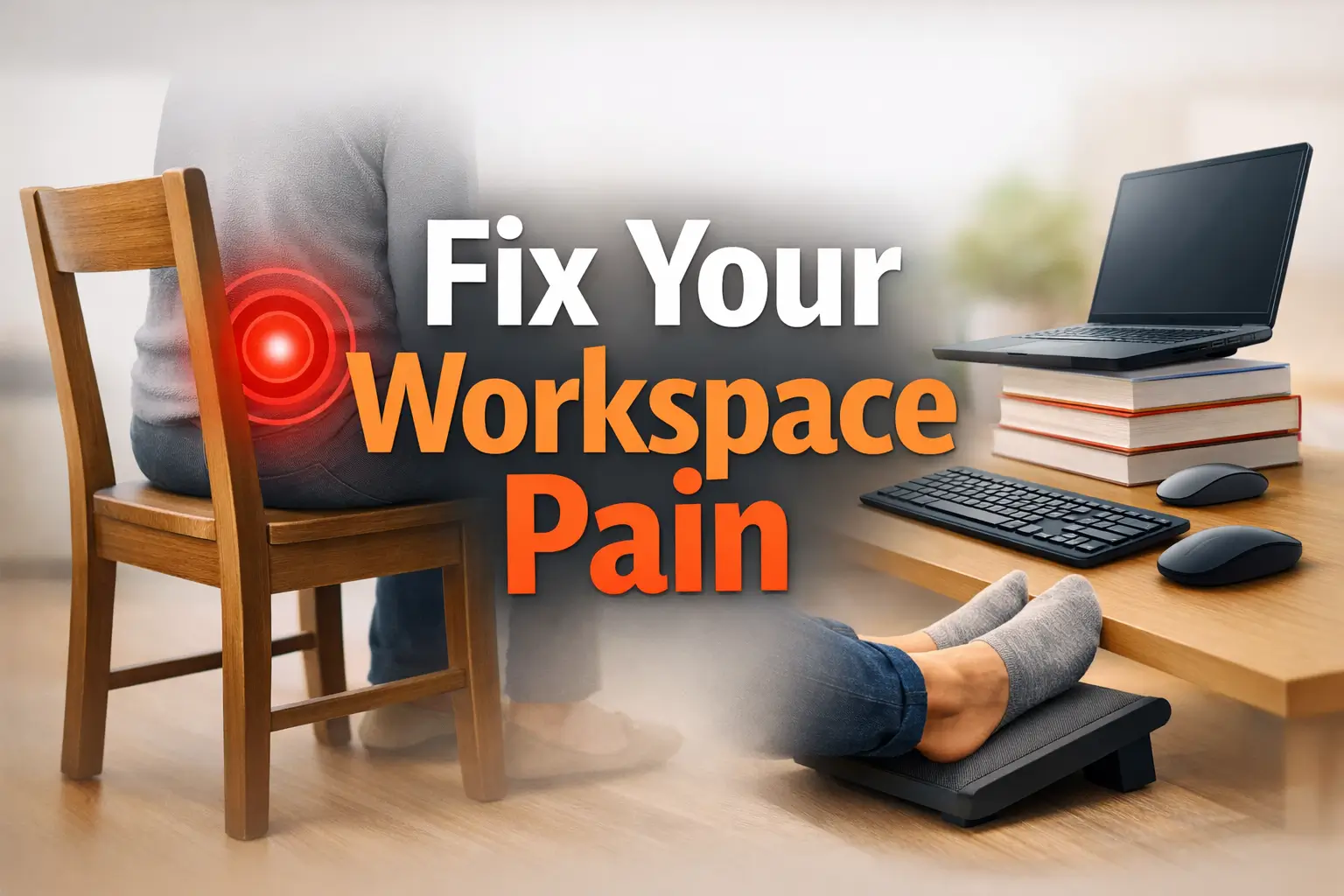
Beyond the Chair: Decoding the Geometry of Remote Work Pain
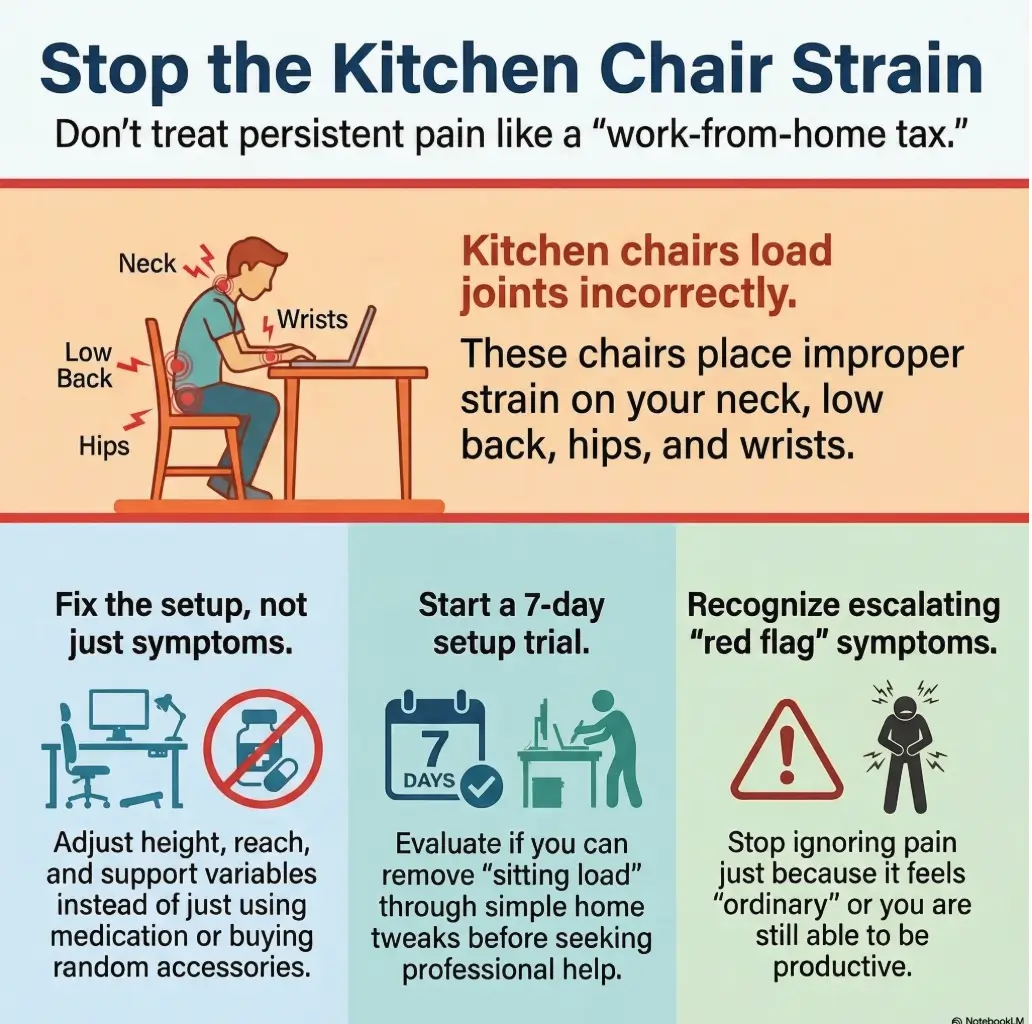
By the time your third video call ends, a kitchen chair can turn remote work into a low-grade orthopedic bill paid in neck tension, low-back ache, and hip stiffness. The trouble isn’t just the furniture, it’s the entire workday geometry of screen height, keyboard position, and prolonged stillness.
Stop guessing with random fixes that treat numbness like ordinary soreness. This guide helps you distinguish workstation strain from serious warning signs, focusing on practical, evidence-shaped mechanics rather than expensive gadgets or “posture theater.”
Before you browse another chair review, start here. A few strategic adjustments to your setup math may lower your daily physical load more than a high-priced upgrade ever could.
Table of Contents
Start Here First: Who This Is For / Not For
This is for you if your “temporary” kitchen chair became your full-time office
Many remote workers did not choose a dining chair with any tragic flourish. It simply happened. One week at the table became three months. Three months became a year. Suddenly the chair that was designed for dinner, paperwork, and brief civilized encounters had become your unpaid office manager.
I have seen this arc so many times that it barely feels anecdotal anymore. Someone says, “It’s not ideal, but I can manage.” Then the body quietly starts filing complaints: tight shoulders by noon, low back ache by 3 p.m., hip stiffness when standing, wrists that feel oddly offended after email. None of this looks dramatic enough to trigger concern, which is exactly why it lingers.
This is for you if neck, back, hip, or shoulder pain shows up during or after computer work
If the pattern is strongly tied to screen time, seated work, laptop use, or long calls, your setup deserves suspicion. Not moral blame. Suspicion. Muscles and joints are terrible at writing polite memos. They prefer grumbling, stiffness, headaches, and that lovely sensation of standing up like a folding chair learning to walk.
This is for you if you want a conservative, practical plan before shopping for expensive gear
You do not need to begin with a $900 chair, three monitor arms, and an identity crisis in the ergonomics aisle. Often the first 3 fixes are simpler: raise the screen, separate the keyboard, support the feet. That is not glamorous, but it is wonderfully effective when the problem is mostly about angle, height, and duration.
This is not for sudden severe pain, major injury, or rapidly worsening neurological symptoms
Remote-work strain is common. Emergencies are less common, but they matter. Sudden severe pain, major trauma, rapidly worsening weakness, major loss of function, new balance problems, or symptoms that feel sharply different from ordinary muscular strain should not be folded into a “maybe I just need a cushion” story.
This is not for anyone trying to self-diagnose serious medical conditions from desk discomfort alone
Educational content can help you make better first moves. It cannot replace examination, testing, or individualized care. OSHA emphasizes neutral positioning and reduced strain in computer workstations, and orthopedic guidance generally takes persistent pain, weakness, numbness, and bowel or bladder changes seriously. That is the frame here: useful self-management first, false reassurance never.
- Common strain can still become persistent pain
- Low-cost setup fixes often matter more than expensive gear
- Neurological symptoms deserve faster escalation
Apply in 60 seconds: Decide whether your symptoms behave like strain from work posture, or whether they include warning signs that call for medical evaluation.
Kitchen Chair Math: Why a Normal Dining Chair Turns Into a Body Tax
No lumbar support means your lower back pays first
Most dining chairs were not built for 6 to 10 hours of sitting with visual focus, repetitive keyboard use, and the subtle forward lean that screens invite. Their backs are often too upright, too flat, too short, or simply decorative. Without support in the right place, the lower back can drift into a slumped posture or a compensatory over-arched one. Neither arrangement deserves applause.
What matters is not whether your spine looks elegant from across the room. What matters is whether the chair lets you stay close to neutral without excessive muscular bracing. If you have to “hold yourself up” for hours, your muscles are doing the chair’s job.
Fixed seat height can push wrists, shoulders, and hips out of neutral
A kitchen table and kitchen chair are often a mismatched duet. The table may be too high for relaxed shoulders and level forearms. Or the chair may be too low, forcing your elbows up and your wrists into extension. Raise the seat to help the arms, and suddenly your feet dangle. Keep the feet grounded, and your shoulders climb toward your ears like anxious housecats.
This is why remote workers sometimes say, “Everything hurts, but in a vague way.” Multiple body regions are reacting to one geometry problem.
Hard seats change how long you tolerate one position, not how safe that position is
A firm seat is not automatically bad, and a plush seat is not automatically good. The real question is whether the seat shape and height let you sit with reasonable alignment and pressure distribution. Hard surfaces often become painful because they reduce tolerance for staying still. Soft add-ons can become painful because they collapse alignment. Comfort and support are cousins, not twins.
Small setup errors stack faster than most remote workers realize
On their own, a slightly low screen, slightly unsupported feet, slightly too-high table, and slightly forward head posture may each seem survivable. Together they create a daily tax. Not a cinematic injury. A tax. And taxes become memorable when charged 5 days a week.
One of the stranger truths of home-office pain is that the body rarely objects to one dramatic mistake. It objects to 400 ordinary ones repeated on schedule.
Fix the screen and input position first when your neck, shoulders, wrists, or upper back complain during work.
Fix seat support first when low back, hips, or thigh pressure dominate, especially after longer sitting blocks.
Neutral action: Start with the problem that appears earliest in the day, not the one that annoys you most at bedtime.
Show me the nerdy details
Computer workstation guidance usually centers on neutral joint positioning, reduced static loading, visual alignment, and minimizing excessive reach. A dining chair often fails all four at once because seat height, seat depth, back angle, and table height are fixed. That means one adjustment often creates another compromise unless you add external support such as a footrest, monitor riser, or separate keyboard and mouse.
Pain Pattern Decoder: What Your Location of Pain May Be Trying to Tell You
Neck and upper traps that tighten by noon
This often points to a screen that is too low, too far, or both. Laptop-only setups are notorious here. Your head inches forward. The neck extensors stay busy. The upper trapezius muscles start acting like overworked interns who were promised a short project and got a full-time job instead.
A few years ago, during an especially chaotic work stretch, I tried to be noble about a low laptop setup. I told myself I was “fine.” By day four, I was rotating my entire torso instead of turning my head. That was less resilience than geometry having the last word.
Mid-back fatigue that feels like “I need to crack something”
This sensation often comes from sustained slumping, unsupported reaching, or visual fatigue pulling you toward the screen. The mid-back may not be the original culprit. It is often the region absorbing the cost of prolonged forward posture and static loading. People describe it as ache, pressure, burning, or a feeling of being packed too tightly between the shoulder blades.
Low back ache that blooms after long calls
If low back pain rises most during seated meetings, the problem is often the combination of under-support and stillness. Calls remove micro-movements. You stop reaching for things. You stop adjusting. You become a decorative object with opinions. That stillness can make even a moderate support issue feel much worse after 30 to 60 minutes.
Hip pain from rigid seat angles and pressure points
Hips do not love awkward seat depth, rigid angles, or prolonged compression. Pain at the side of the hip, deep in the buttock, or across the front crease can be linked to how the pelvis is positioned and how long it stays there. If your hips feel worse than your back, do not assume you have a mysterious condition. Sometimes the chair is simply asking the joint to tolerate a shape and duration it never volunteered for. If the line between buttock, hip, and spine pain feels blurry, a guide on how hip pain and spine pain can overlap can help you think more clearly about the pattern.
Wrist and forearm irritation from dining-table keyboard height
If the desk surface is too high, the wrists may bend upward and the shoulders may elevate. The forearms stay active when they should be supported. Mouse use adds extra repetition. This is especially common when someone says, “My back is annoying, but my forearms are weirdly angry.” That sentence has the fragrance of table-height trouble all over it, and it often overlaps with keyboard and mouse placement problems at a desk job.
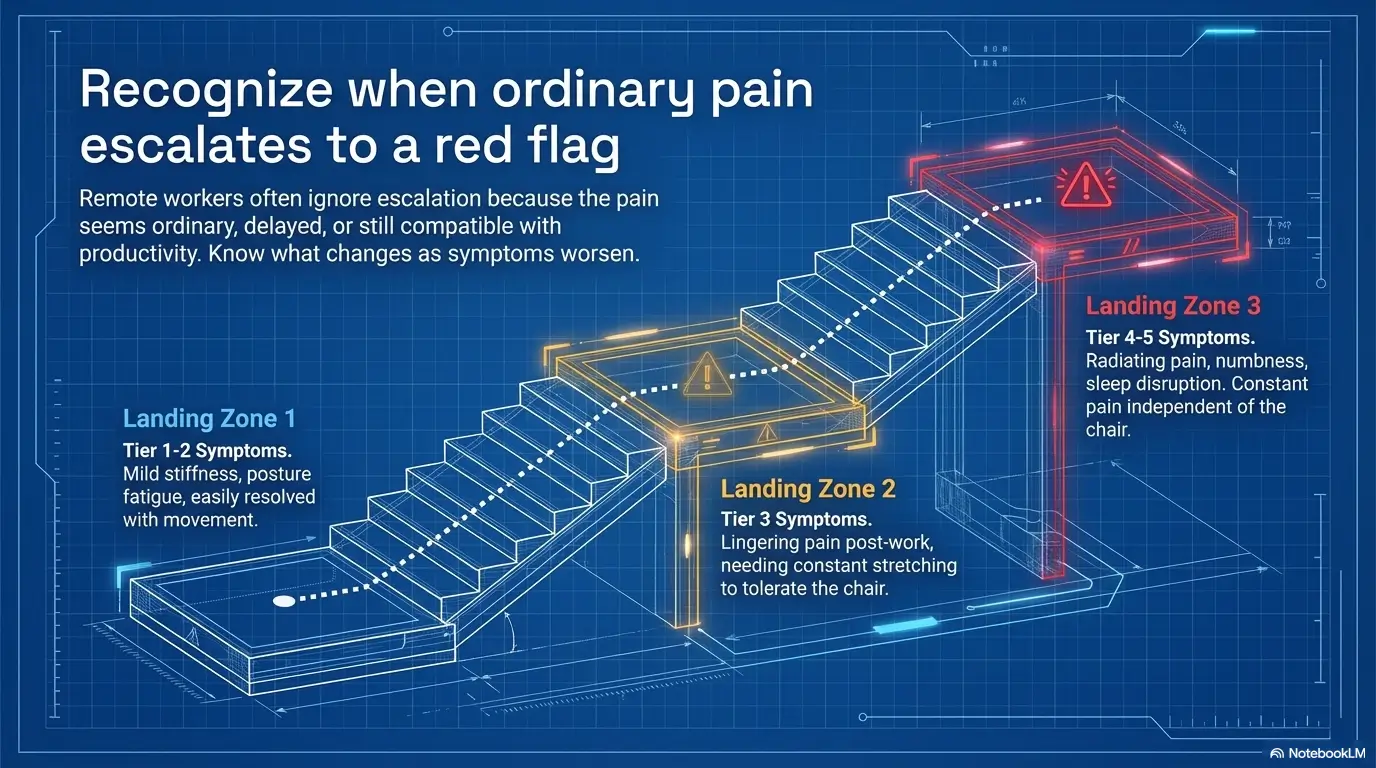
Tier 1: Mild stiffness that improves with setup changes and movement.
Tier 2: Daily recurring discomfort tied to work blocks.
Tier 3: Pain that lingers after work and affects evening comfort or sleep.
Tier 4: Recurrent numbness, tingling, radiating pain, or loss of dexterity.
Tier 5: Severe weakness, bowel or bladder changes, fever, unexplained weight loss, or major functional decline.
Neutral action: Home fixes make sense at Tiers 1 and some Tier 2 cases. Tier 4 and 5 deserve quicker professional input.
Before You Blame Your Body: Check These 7 Setup Clues First
Screen height that quietly pulls your head forward
Your eyes want the screen. Your body will reorganize to get them there. If the screen is low, the head goes forward and down. If the screen is far away, you may reach with your chin like a cautious turtle in office wear. Raise the screen until the top portion is closer to eye level, then see what your neck says over 2 to 3 workdays rather than 2 to 3 minutes.
Elbows floating too high or dropping too low
When elbows float too high, shoulders tense. When they drop too low, wrists and upper back may compensate. The sweet spot usually feels boring, which is a compliment. The elbows rest near the body. The forearms are approximately level. The hands are not climbing uphill to type.
Feet dangling, tucked back, or hooked around chair legs
Unsupported feet sound minor until you live with them. Feet that cannot rest comfortably on the floor or a stable surface often drag the rest of the chain into compromise. The pelvis shifts. The thighs press differently. The low back starts improvising. A footrest can be thrillingly unsexy and unexpectedly useful.
Seat depth that steals circulation from your thighs
If the seat presses into the back of the thighs, or if you cannot use the backrest without the seat edge digging in, the chair may be the wrong depth for work posture. A small lumbar support or back cushion can shorten usable depth, which sometimes improves comfort faster than replacing the chair. If you are debating padding versus support, this comparison of seat cushion versus lumbar roll choices maps the tradeoff well.
Laptop-only work that turns the spine into a question mark
Laptops are elegant travel tools and terrible permanent workstation anchors. The screen and keyboard are attached, which means one of them is almost always in the wrong place. If you only change one thing this week, giving the screen height and the keyboard position their own lives is often the highest-return move. Many people see relief faster when they stop treating the device as a single unit and compare a laptop stand versus external monitor setup with fresh eyes.
Arm support that exists nowhere
A dining chair rarely offers arm support at a useful height. That means the shoulders, neck, and upper back carry more of the load. Even brief support, such as resting the forearms on the table edge with a better keyboard position, can reduce unnecessary muscle effort.
Work blocks so long your posture never gets a reset
Even a decent setup becomes worse when held too long. A mediocre setup becomes a fable of regret. Static posture is the villain that keeps sneaking back into the story wearing different clothes. The body tolerates change better than stillness.
- Screen height affects neck more than people expect
- Foot support influences pelvis and low back
- Laptop-only work often creates a built-in compromise
Apply in 60 seconds: Take one side photo of your work posture and look for head reach, shoulder shrugging, and unsupported feet.
- Yes / No: Symptoms are clearly tied to desk work
- Yes / No: Pain is mild to moderate, not rapidly worsening
- Yes / No: No new bowel or bladder issues
- Yes / No: No major trauma or sudden severe weakness
- Yes / No: You can change screen height, keyboard position, and foot support today
Neutral action: If most answers are yes, a careful 7-day setup trial is reasonable. If several are no, move faster toward medical advice.
Relief First, Shopping Later: The Lowest-Cost Fixes That Usually Matter Most
Use towels, cushions, or rolled support only where they change posture, not just softness
This is where many people accidentally build a marshmallow trap. They add softness everywhere, sink deeper, and then wonder why the back feels worse. Support works best when it changes alignment or pressure in a purposeful way. A rolled towel at the low back may help. A folded blanket that raises the whole body may help. Random squish with no plan is just upholstery cosplay.
Raise the screen before you replace the chair
Books, a sturdy box, or a monitor riser can change your neck mechanics today. This is often more important than chair upgrades because the head and eyes steer posture all day. A better chair with a bad screen height is still a bad system. It is just a more expensive bad system.
Separate keyboard and mouse before you chase pain gadgets
An external keyboard and mouse let the screen go higher without forcing your hands into the sky. For many laptop-based workers, this is the hinge move. Once the inputs are separate, the rest of the setup becomes easier to tune.
One friend of mine bought a premium lumbar cushion, a posture shirt, and a heating pad before buying a basic keyboard. The keyboard fixed more than the combined dramatic accessories. The body enjoys irony.
Build a footrest from what you already have
A ream of paper, a stable box, a small stool, or even a thick book stack can be enough. The goal is not beauty. The goal is grounded feet and a calmer pelvis. You are not decorating a magazine spread. You are negotiating with joints.
Break the “sit still and power through” habit with timed resets
Try 30 to 45 minutes of work followed by 30 to 90 seconds of posture change, standing, or walking. Not because the body needs a grand fitness intervention every half hour. Because it needs a break in static load. Small resets often outperform one heroic stretch session performed at 9 p.m. with the energy of a resentful flamingo.
Input 1: Number of work blocks per day
Input 2: Minutes per block
Input 3: Reset break length in minutes
Output: Daily non-sitting minutes = work blocks × reset break length. Eight blocks and 2-minute resets equals 16 minutes of changed load each day. Over 5 workdays, that becomes 80 minutes your joints did not spend in one fixed posture.
Neutral action: Start with the smallest reset you will actually repeat.
Let’s Be Honest… It May Not Be the Chair Alone
Long sitting time often multiplies a merely bad setup into a painful one
Sometimes people ask whether the chair caused the pain, as though the body were a courtroom and we need a single guilty party. More often the answer is cumulative. The chair contributes. The laptop contributes. The schedule contributes. The inability to stand because every meeting has become a museum of polite eye contact contributes.
A setup can be imperfect but tolerable at 2 hours. The same setup can feel brutal at 8 hours. Duration is not just a background detail. It is one of the loudest variables in the room.
Stress bracing can make shoulders and jaw join the party
Under deadline, many people unconsciously clench the jaw, elevate the shoulders, and reduce breathing depth. Suddenly the pain story is not just ergonomic. It is ergonomic plus stress physiology. That combination can make the muscles of the neck and upper back feel like they have been rehearsing for a tragedy all week.
I once spent a month blaming a chair for upper-trap pain that turned out to be half chair, half clenched-shoulder doom during editing deadlines. The chair was guilty, yes. But stress was standing right beside it, pretending to be a witness.
Weakness is not the same thing as fatigue
Fatigue feels used up. Weakness feels unreliable. If gripping, lifting, typing, or standing becomes distinctly harder, that is a different category from ordinary soreness. People often blur the two because both are unpleasant. The distinction matters.
The workday routine may be the bigger villain than the furniture
Even the best chair cannot save a day built from long static calls, no movement, poor sleep, and endless laptop hunching after dinner. Sometimes the chair is the trigger, but the routine is the amplifier. If your pain worsens during busy weeks and improves when your day becomes more varied, the schedule is leaving fingerprints all over the case.
- Which body area hurts first during the day
- How long you sit before symptoms rise
- What changes symptoms: standing, walking, heat, support, or breaks
- Any numbness, tingling, weakness, or sleep disruption
- Photos of your current setup from the side and front
Neutral action: Bring data, not just frustration. It makes better decisions faster.
Don’t Do This: Common Mistakes That Make Remote-Work Pain Harder to Unwind
Treating numbness and tingling like ordinary soreness
Soreness, stiffness, and muscular fatigue are common. Numbness and tingling deserve more respect. They may still come from positioning or nerve irritation related to posture, but they are not the same as a tired back. Recurrent sensory symptoms should raise the threshold for self-reassurance.
Buying lumbar gadgets before fixing monitor height
This is one of the great modern rituals. A person buys three support products while continuing to crane toward a low screen. The neck remains offended, the shoulders stay busy, and the back support is expected to perform theology. Start with the screen and input geometry. Then support the seat.
Over-cushioning a chair until posture collapses further
If the cushion is so soft that you sink, twist, or lose stable contact with the backrest, you may trade pressure discomfort for alignment trouble. A support that feels heavenly for 5 minutes can become a structural prank by 2 p.m.
Waiting for weekends to “recover” from a Monday-through-Friday setup problem
Weekend relief does not mean the weekday setup is acceptable. It means the body improves when the exposure decreases. That is useful information, not proof that the situation is harmless.
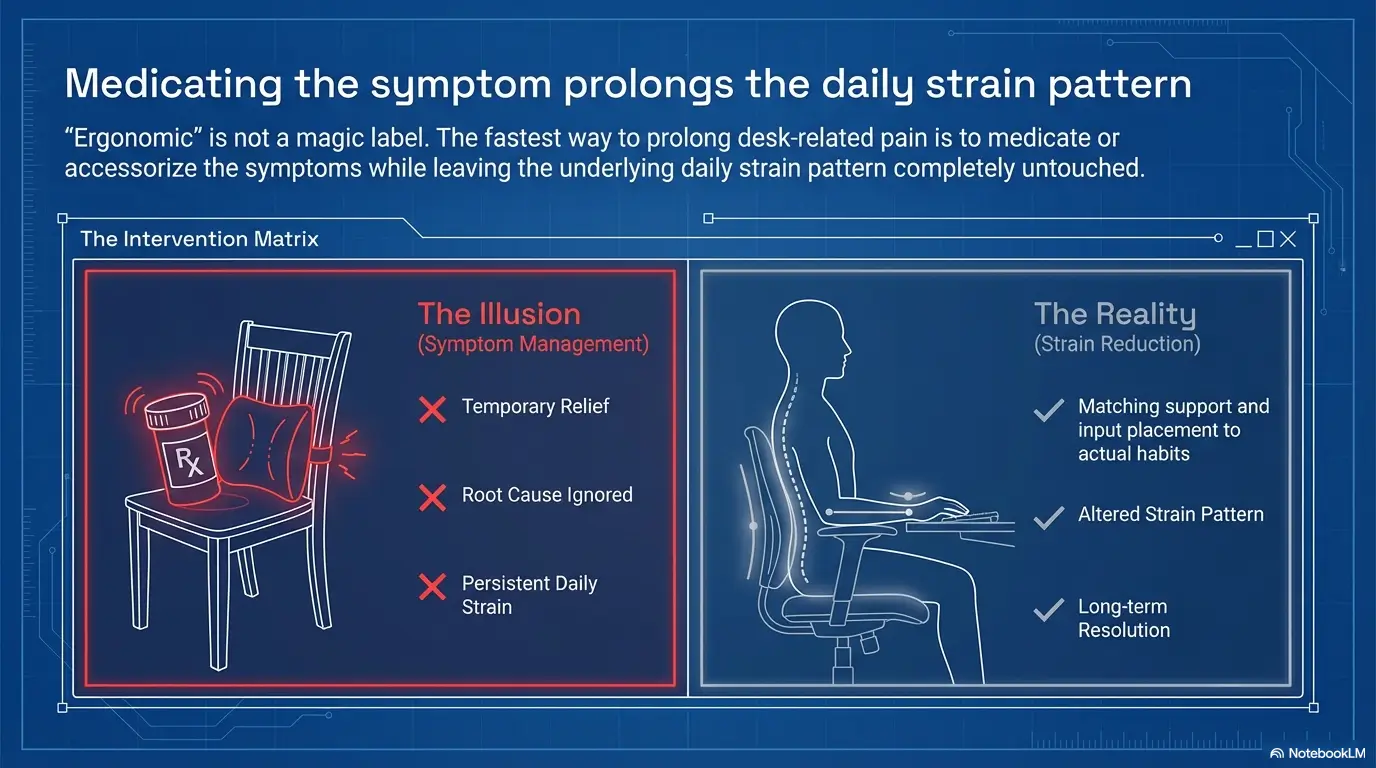
Using pain relief as permission to keep the same strain pattern
Heat, over-the-counter pain relief, and gentle movement can help, but they should support change, not replace it. Pain relief without load reduction is like drying the floor while the sink is still overflowing. Admirable effort. Wrong battle.
- Numbness is not just “tired muscles”
- Screen height usually outranks gadget shopping
- Weekend recovery does not erase weekday overload
Apply in 60 seconds: Cancel one nonessential product idea and redirect that energy toward a setup photo, a riser, or a scheduled movement reset.
Quick-Win Orthopedic Strategy: What Conservative Care Often Looks Like at Home
Strain reduction first, symptom chasing second
The first goal is to reduce what is provoking the body. That usually means better support, better screen position, better hand position, and shorter stretches of uninterrupted sitting. Conservative care works best when it is paired with less aggravation. This is one reason people sometimes feel better on vacation and then regress by Tuesday back at work. The home care did not fail. The exposure returned undefeated.
Movement snacks beat one heroic stretch session at 9 p.m.
Think small and repeatable. Stand up. Walk to the kitchen. Gently extend the hips. Roll the shoulders. Change the position of the spine. Twenty to ninety seconds is enough to interrupt a strain pattern. Repetition matters more than drama. The body is persuaded by frequency, not motivational speeches.
Heat, gentle mobility, and load reduction each have a lane
Heat may help muscles feel less guarded. Gentle mobility can restore some ease. Load reduction changes the reason the symptoms keep returning. These are not interchangeable. Use each for its actual job. Do not expect a heating pad to perform advanced labor law against your workstation.
Supportive positioning matters more than internet-perfect posture
People get spooked by idealized diagrams. Real bodies are varied. Real workdays are messy. You do not need statue posture. You need a setup that reduces strain enough to be sustainable. Neutral-ish and repeatable beats perfect-looking and impossible.
When temporary self-care stops being a reasonable experiment
A good self-care trial has a boundary. If symptoms are not improving after a couple of weeks of meaningful setup changes and conservative care, or if they are worsening, it is fair to stop calling the issue temporary. Persistence is a clue.
| Option | Time | Typical Cost Range | Notes |
|---|---|---|---|
| DIY screen riser + footrest | 10 to 20 min | $0 to low cost | Best first move for many people |
| External keyboard and mouse | 15 min setup | Low to moderate | High leverage for laptop users |
| Heating pad + mobility habit | 10 to 30 min daily | Low to moderate | Supports symptoms, does not fix setup |
| Physical therapy or clinician visit | Variable | Variable by insurance and setting | Useful when symptoms persist, escalate, or include neurological signs |
Neutral action: Pick the lowest-cost step that changes mechanics first, not the flashiest symptom tool.
Show me the nerdy details
Conservative management for non-emergent musculoskeletal strain usually performs better when the provoking load is reduced. In plain language, that means symptom tools and exercise are less effective if the daily cause remains unchanged. Remote work creates a classic repeated low-grade load scenario: not necessarily high force, but high duration and low variety.
Here’s What No One Tells You… “Ergonomic” Can Still Hurt
A better chair does not cancel excessive sitting
People sometimes imagine a premium chair as a diplomatic treaty with pain. In reality, even a well-designed chair cannot erase the effects of prolonged stillness. It can reduce the cost. It cannot make biology forget duration.
Expensive gear cannot rescue a monitor that is too low
This is the most boring truth in ergonomics and therefore one of the most important. Eye level drives posture. A fancy chair plus a low laptop is still a low-laptop problem dressed in nicer fabrics.
Standing desks can simply relocate pain when badly set up
Standing can reduce sitting load, but it can also shift problems to the feet, calves, low back, or shoulders if the surface height and screen position are poor. Relief is not guaranteed just because gravity entered the meeting. If you are torn between upgrades, the real question is often less “Which is trendy?” and more ergonomic chair versus standing desk for your actual pain pattern.
Pain improvement is usually cumulative, not cinematic
Most people expect a big click of relief. More often improvement arrives quietly. You notice you stood up without wincing. You finish a call without shoulder burn. You realize the evening ache is smaller than last week. That kind of progress is less theatrical and more trustworthy.
A client once described this perfectly: “Nothing miraculous happened. I just stopped ending the day feeling like a collapsed tent.” That is the mood. Real ergonomic improvement tends to be mercifully dull.
- Better chairs reduce compromise, not biology
- Standing can help or simply move the problem
- Progress often shows up as less end-of-day damage
Apply in 60 seconds: Define success for the next week as one measurable change in symptom timing or intensity, not total pain disappearance.
When to Seek Help: The Signs This Has Moved Beyond a Kitchen-Chair Problem
Pain that does not improve after a few weeks of setup changes and conservative care
If you have meaningfully changed the setup, reduced strain, tried reasonable self-care, and symptoms are not improving after a few weeks, the problem has earned more attention. Persistent pain is not a moral failure. It is data.
Pain with weakness, radiating symptoms, or loss of dexterity
Difficulty gripping, repeated dropping, leg weakness, pain shooting down an arm or leg, or loss of fine control deserves more caution than routine muscular soreness. These features suggest the story may involve more than local muscle fatigue. When arm symptoms are involved, readers sometimes recognize pieces of the pattern in cervical radiculopathy symptoms rather than ordinary desk tension.
Numbness or tingling that keeps returning or spreads
Occasional position-related tingling can happen, but recurrent or spreading symptoms should move you away from casual reassurance. If it keeps happening, that repetition matters.
Symptoms that interfere with sleep, walking, or normal daily tasks
When discomfort stops being a work-only nuisance and starts affecting sleep, walking, carrying groceries, or climbing stairs, the issue is leaving the workstation and entering everyday function. That escalation counts.
Urgent red flags: bowel or bladder changes, severe leg weakness, fever, chills, or unexplained weight loss
Major bowel or bladder changes, severe weakness, fever, chills, unexplained weight loss, or other systemic symptoms are not standard workstation stories. The American Academy of Orthopaedic Surgeons flags concerning symptoms like persistent neurological deficits and bowel or bladder issues as reasons for timely medical attention. This is the place to be serious, not stoic. For a more explicit checklist, review these cauda equina syndrome red flags and this overview of when low back pain becomes an emergency.
Short Story: The Moment the Excuse Stops Working
For months, Maya blamed her kitchen chair for everything. That was not irrational. The chair was awful, the table was too high, and the laptop sat on the wood surface like a tiny tyrant. She added a towel roll, then a footrest, then a proper keyboard. Her neck improved. Her shoulder improved. But the tingling in two fingers kept returning, and one morning she noticed she was fumbling a coffee mug she had no business fumbling.
That was the pivot point. The chair had been part of the story, but not the whole story. She booked an appointment, brought photos of the setup, described the symptom pattern clearly, and saved herself another six weeks of guessing. The lesson was not “panic early.” It was gentler and smarter than that: respect what improves, and respect what refuses to.
Keep testing home changes when pain is clearly posture-related, mild to moderate, and improving week to week.
Book help now when symptoms persist despite real setup changes, interfere with sleep or function, or include weakness, spreading numbness, or radiating pain.
Neutral action: Use the trend, not one random good day, to decide.
Don’t Normalize This: How Remote Workers Accidentally Train Themselves to Ignore Escalation
“It only hurts after work” is still a data point
One of the most common forms of self-gaslighting sounds extremely reasonable: “It only hurts after work, so maybe it is not a big deal.” But after-work pain is still work-related pain. The pattern itself is the clue. Delayed symptoms are still symptoms.
Painkillers can blur feedback without removing the cause
Relief has value. Nobody wins points for heroic suffering. But when symptom control becomes a way to keep reproducing the same aggravating position, useful feedback gets muffled. The body is not always eloquent, but it does send messages. We should not mute all of them and then claim the meeting went well.
Good productivity can coexist with a bad physical trend
This one catches high-functioning remote workers especially hard. They are still meeting deadlines. Still presenting well. Still shipping work. Because productivity has not collapsed, they assume the body cannot be on a bad trajectory. Unfortunately, output and tissue tolerance are not the same metric.
Waiting for a dramatic injury can delay useful care
Many musculoskeletal problems do not arrive as dramatic events. They accumulate. They rehearse. They settle in. By the time a person decides it is “bad enough,” they may have spent weeks or months adapting around the issue in ways that made work and life harder than necessary.
I know someone who waited until sleep was affected before changing anything because work was still “technically possible.” That phrase should be banned from ergonomic decision-making. Technically possible covers far too many miserable arrangements.
- After-work pain still counts as meaningful evidence
- Symptom relief should support change, not replace it
- Loss of function matters even when output remains high
Apply in 60 seconds: Write down whether your symptoms are earlier, stronger, or more frequent than two weeks ago.
Next Step: Do This Before You Read Another Chair Review
Spend 15 minutes today correcting only three things: screen height, elbow position, and foot support, then track whether your pain changes over the next 7 days
If you do nothing else, do this. Not because product reviews are useless, but because they are often seductive procrastination. A better chair may help. But before you turn into a part-time furniture analyst, earn some evidence from your own body.
Raise the screen. Get the keyboard and mouse where your shoulders can relax. Support the feet. Then track three things for the next 7 days: when the symptoms begin, where they show up first, and whether the evening aftermath is better, worse, or unchanged. This gives you something better than hope. It gives you trend data.
What success looks like: symptoms start later, feel less intense, or leave less wreckage by evening.
That simple experiment closes the loop from the beginning of this article. Your body is not being dramatic. It is usually being specific. And if a few targeted changes reduce the load, that is not placebo theater. It is mechanics doing what mechanics do.
Within the next 15 minutes, take one posture photo, raise your screen, support your feet, and separate your keyboard from your display if you can. Then give the new setup a fair 7-day trial. That is a better next step than another hour of chair tabs blooming across your browser like expensive little lilies. If neck and shoulder symptoms dominate your story, you may also want to compare notes with neck and shoulder pain from laptop work or a more targeted look at physical therapy for tech neck.
FAQ
Can sitting in a kitchen chair all day cause back pain?
Yes, it can contribute. The bigger issue is usually the combination of poor support, awkward table height, low screen position, and prolonged sitting without breaks. The chair is often part of the problem, but rarely the only one.
Why does my neck hurt more when I work from a laptop at the table?
Laptop screens are usually too low for comfortable neck posture. Because the keyboard is attached, you often choose between a better screen height and a better hand position. That built-in compromise makes neck and shoulder strain common.
Is lumbar support enough to fix remote-work pain?
Not usually by itself. Lumbar support may help the low back, but if the screen is too low, the table is too high, the feet are unsupported, or you sit too long without changing position, pain can persist.
Can a footrest really help with low back discomfort?
Yes, especially when seat height is adjusted to improve arm position and your feet no longer rest comfortably on the floor. Better foot support can improve pelvic position and reduce some low-back strain.
When is numbness more concerning than soreness?
Numbness or tingling becomes more concerning when it recurs, spreads, comes with weakness, affects dexterity, or does not improve with position changes. That moves the situation away from ordinary muscular fatigue.
Should I use heat or ice for desk-related pain?
Many people find heat more helpful for muscle tightness and stiffness related to desk work. Ice is sometimes used after acute flare-ups, but for chronic seated tension, heat and movement are often more practical. Persistent or unclear pain patterns still deserve evaluation.
How long should I try ergonomic changes before seeing a doctor?
If you make meaningful changes and symptoms are improving, a brief home trial can be reasonable. If symptoms are worsening, interfering with sleep or daily function, or not improving after a few weeks, it is smart to seek medical advice sooner.
Can a standing desk solve pain caused by a kitchen chair?
It may help some people by reducing sitting time, but it is not a guaranteed fix. A poorly set standing desk can shift discomfort to the feet, legs, shoulders, or low back. The setup still matters.
Why do my hips hurt more than my back after sitting?
Rigid seat angles, pressure points, poor seat depth, and prolonged compression can aggravate the hips or buttock area. The chair may be interacting with your pelvis and thighs in a way that irritates the hips more than the spine.
What kind of doctor should remote workers see for persistent musculoskeletal pain?
That depends on the symptoms and local healthcare system, but primary care clinicians, sports medicine physicians, physiatrists, orthopedic specialists, and physical therapists are common starting points. Bring a clear symptom pattern and setup photos if you can. If cost friction is part of the delay, understanding physical therapy copay versus coinsurance can make the next step feel less foggy.
Safety / Disclaimer
This article is educational, not diagnostic. It is meant to help remote workers make safer first-line decisions about setup, symptom tracking, and escalation. OSHA workstation guidance supports reducing strain through neutral positioning and better workstation alignment. Orthopedic guidance also treats persistent pain, weakness, numbness, and bowel or bladder changes more seriously than routine desk discomfort. If symptoms are worsening, unusual, or affecting normal function, individual medical care matters more than internet confidence.
Last reviewed: 2026-03.