

Practical Orthopedic Visit Prep
What Photos Help an Orthopedic Visit?
A Practical Guide Before You Go
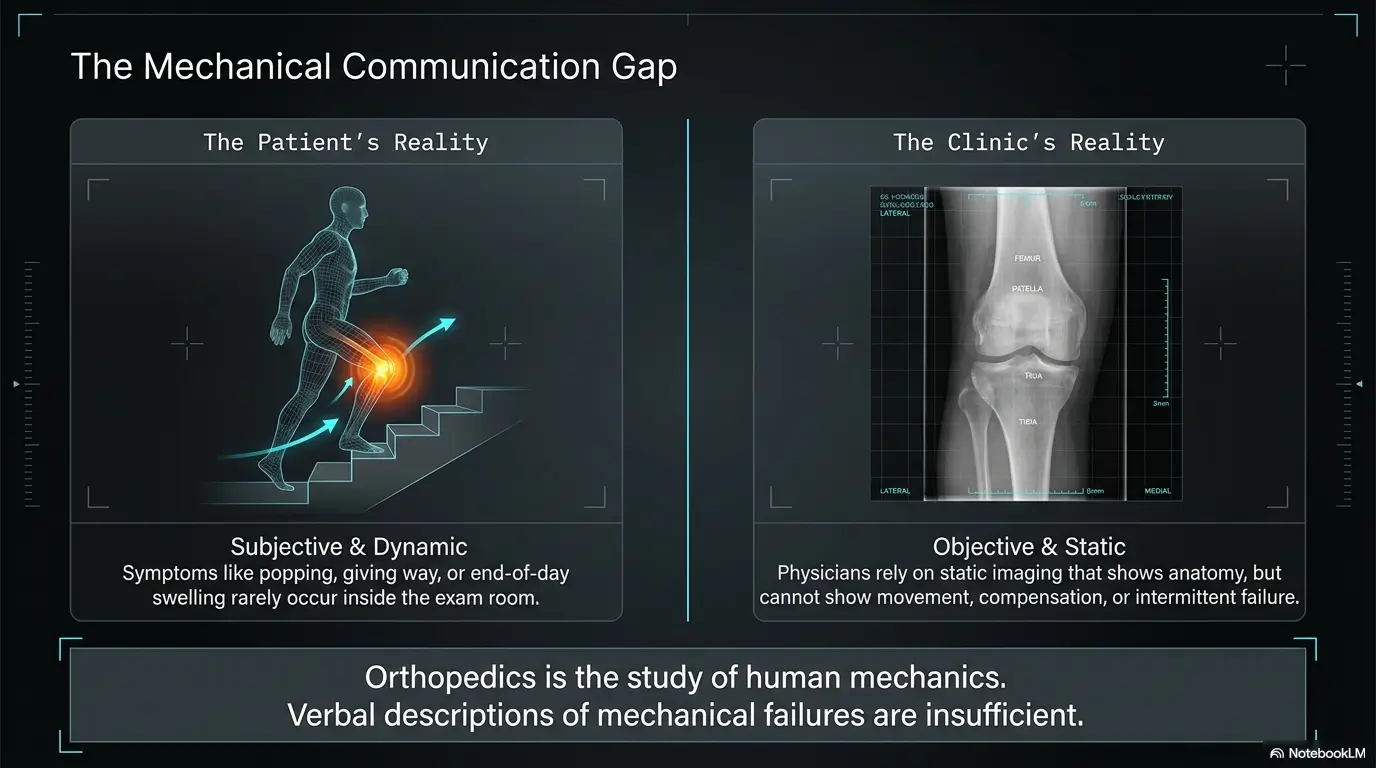
The odd thing about orthopedic pain is that it often behaves beautifully in the exam room. The ankle that swells like bread dough after errands looks polite by morning. The bruise fades. The shoulder catches only when you reach into the back seat. The limp arrives at 7 p.m., wearing muddy boots, long after your appointment has ended.
That is why the right photos can be so useful. They do not diagnose a fracture, torn ligament, infection, nerve problem, or joint damage. But they can preserve the visible parts of your story: swelling, bruising, posture, shoe wear, wounds, range of motion, braces, work setups, sports gear, and the quiet before-and-after patterns that memory tends to misplace.
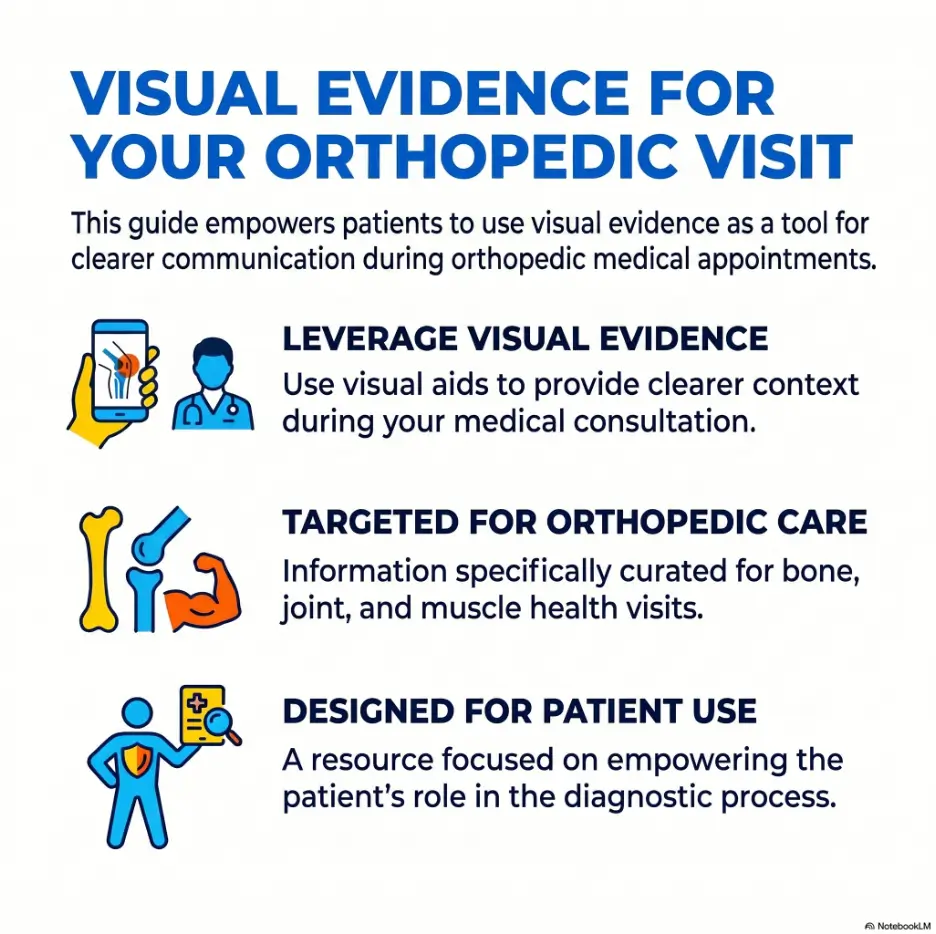
This guide shows you what to photograph, what to skip, how to organize images, and when to seek care instead of building the world’s tidiest camera folder. Think of it as a small bridge between your everyday pain and the clinician’s short appointment window.
Show the pattern
Capture symptoms that come and go before they disappear on appointment day.
Save time
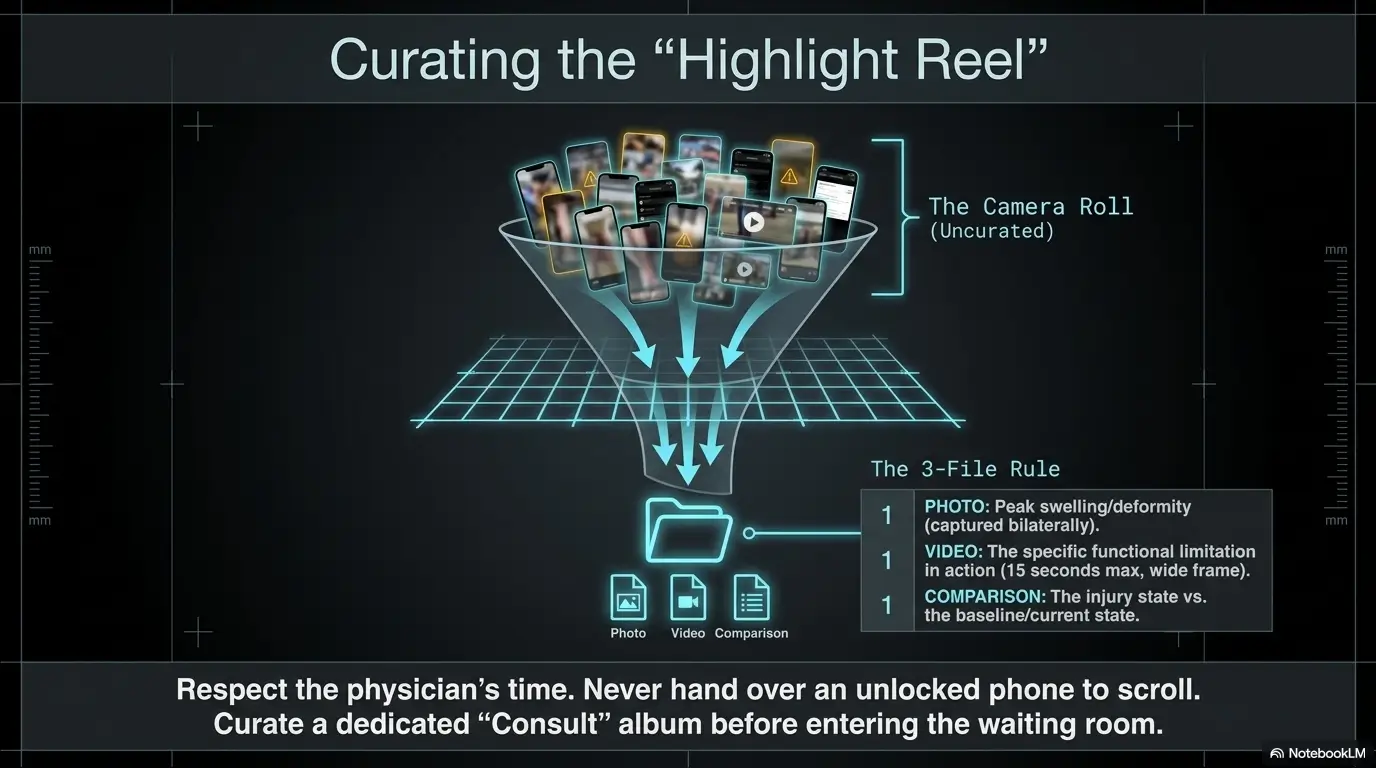
Bring a few clear images instead of scrolling through a crowded camera roll.
Protect privacy
Use photos wisely, avoid oversharing, and follow clinic upload instructions.
📸 The goal is not a dramatic photo. The goal is a useful one.
Snapshot: This article is for patients, caregivers, busy parents, athletes, workers, older adults, and anyone preparing for an orthopedic appointment with symptoms that are hard to explain from memory.
You will learn which photos help, how to take them safely, what details to label, which images may waste time, and how to build a simple 10-photo folder before your visit.
Table of Contents
Photos Help, But They Do Not Diagnose
Photos can be excellent orthopedic visit helpers, but they are not medical verdicts. They are more like witness statements: useful, sometimes revealing, and still only part of the case.
A picture can show swelling, bruising, visible deformity, wound changes, posture, shoe wear, or limited movement. It cannot confirm a fracture, torn tendon, ligament injury, cartilage damage, nerve compression, blood clot, infection, or the reason pain is spreading. Those questions may require an exam, imaging, lab work, nerve testing, or referral to the right specialist.
That distinction matters because a clear photo can improve a conversation, but it should not delay care. If your body is ringing a red alarm bell, do not polish the camera lens while the house is smoking.
Use photos as clues, not proof
The best orthopedic photos answer one quiet question: “What does this problem look like when the doctor is not in the room?”
For example, a knee may look fairly calm at a 10 a.m. appointment but swell heavily every evening after stairs. A daily photo can show that rhythm. A wrist may look normal until you compare it with the other wrist. A foot may ache, but the real visual clue might be the worn-down outer heel of one shoe.
Photos give context. The clinician still needs the story: when it started, what triggered it, what makes it worse, what improves it, whether symptoms are changing, and how it affects walking, sleep, work, sports, or caregiving.
Urgent symptoms come before organization
Some symptoms should not wait for a neat album. Severe pain after a fall, obvious deformity, sudden weakness, loss of feeling, inability to bear weight, spreading redness, fever, wound drainage, shortness of breath, chest pain, or a cold or discolored limb deserves prompt medical attention.
If you are deciding between “take a better photo” and “call the clinic,” call the clinic. A useful photo can be taken later if it is safe. Your health gets the front-row seat.
Key takeaway
Use photos to support your orthopedic visit, not to self-diagnose or delay urgent care. If pain, numbness, deformity, fever, redness, wound changes, or weakness feels serious, seek medical help first.
Privacy matters more than perfect framing
Orthopedic photos can accidentally collect more than the injury. A mirror photo may include your face. A workstation photo may show your employer’s badge, client names, family pictures, addresses, or private documents. A sports injury photo may include another child or teammate in the background.
Before saving or uploading a photo, scan the edges. Crop out anything unrelated. Use your patient portal when possible. Avoid texting sensitive images unless your clinic specifically tells you to use that method.
Perfection is not the mission. A clear, private, honest image wins.
Who Should Take Photos Before an Orthopedic Visit?
Not everyone needs photos. If your issue is constant, easy to point to, and already well documented, a written symptom timeline may be enough. But for many orthopedic concerns, the most important details are slippery little fish. They appear after activity, fade overnight, or only show up during a specific movement.
Photos are especially helpful when your symptoms change over time or depend on context. They can help first visits, second opinions, post-op checks, workers’ compensation discussions, physical therapy follow-ups, and caregiver-assisted appointments.
Patients with symptoms that come and go
Intermittent symptoms are notoriously hard to explain. “It looked huge yesterday” can sound vague even when it is true. A dated swelling photo after a shift, walk, practice, or long drive gives the clinician something specific to consider.
Good photo candidates include ankles that swell by evening, knees that puff after stairs, bruises that move down the leg, fingers that look crooked only when gripping, and shoulders that visibly shrug or hike during overhead motion.
Caregivers helping an older parent or partner
Caregivers often notice patterns patients minimize. A parent may say, “I’m fine,” while quietly avoiding stairs, leaning on furniture, or wearing the same loose shoe because the foot swells.
Photos can help a caregiver bring calm evidence instead of sounding dramatic. A picture of a walker path, a swollen ankle next to the other ankle, a shower step, a shoe sole, or a nightstand setup may help explain what daily function really looks like.
If you are preparing with a caregiver, you may also find it useful to pair photos with a short note system. A simple symptom log can keep the appointment from becoming a foggy family council meeting. For more appointment prep, see caregiver notes for orthopedic appointments.
Athletes, workers, and people with repeated stress
Orthopedic pain often has a habitat. It may live in a warehouse aisle, a pickleball court, a truck cab, a low desk chair, a staircase, or a pair of running shoes that should have retired with honors two seasons ago.
If your pain is activity-related, photograph the activity environment. This might include work boots, lifting setup, desk height, chair position, sports equipment, backpack, bike fit, or the stairs that turn your knee into a tiny thundercloud.
People seeking a second opinion or post-op check
For second opinions, photos can show progression and prior treatment context. For post-op visits, dated incision photos, swelling changes, brace fit, and range-of-motion limits may help the conversation stay focused.
Do not rely on photos alone, though. Bring official reports, medication lists, surgery notes if available, physical therapy notes, and questions. If you are preparing for another opinion, it may help to review second opinion questions before you go.
Key takeaway
Take photos when symptoms are visible, changing, activity-related, or hard to describe. Skip the photo project if your situation needs urgent care.
The Most Useful First Photo: Normal vs. Problem Side
If you take only one type of orthopedic photo, make it a comparison shot. Place the painful or swollen side next to the unaffected side when possible. Same frame, same lighting, same distance. It sounds humble, but it can be the little lantern that lights the whole hallway.
Comparison photos work well for feet, ankles, knees, hands, wrists, elbows, shoulders, and sometimes posture. They help show asymmetry, swelling, bruising, deformity, muscle loss, redness, and range-of-motion differences.
Why side-by-side comparison works
One swollen ankle photographed alone may look dramatic or confusing. The same ankle next to the other ankle gives scale. It shows what is normal for your body.
This matters because people vary. Some people naturally have prominent veins, bony ankles, bowed legs, flat feet, high arches, or uneven shoulders. A comparison photo helps separate “new change” from “my usual anatomy.”
For hands and feet, place both sides on the same surface. For knees, sit or stand with both knees visible. For shoulders, ask someone to photograph you from behind while you raise both arms only as far as comfortable.
How to frame the photo so it is useful
Use bright, even light. Avoid harsh flash glare. Keep the camera level rather than tilted. Include enough of the limb or joint so the location makes sense.
For a knee, show the thigh, knee, and upper shin. For an ankle, show the lower leg, ankle, heel, and part of the foot. For a wrist, show the hand, wrist, and lower forearm. A close-up may be helpful after that, but the first image should orient the viewer.
If swelling is subtle, take two images: one from the front and one from the side. Shadows can lie, so give the clinician more than one angle without creating a photo novel.
The boring photo may be the best photo
Patients often bring the most dramatic bruise picture, which may be useful. But the quiet comparison photo often carries more meaning. It shows proportion, symmetry, and what changed.
A calm image is not less valid. The goal is not to prove you are hurting. The goal is to help your clinician understand the visible pattern without guesswork.
| Body area | Best comparison photo | Helpful extra detail |
|---|---|---|
| Ankle or foot | Both feet side by side from front and back | Include shoe wear or orthotics if relevant |
| Knee | Both knees while standing or sitting | Take one photo after activity if swelling changes |
| Hand or wrist | Both hands on a table, palms down or palms up | Show grip position if pain occurs with gripping |
| Shoulder | Both shoulders from front or back | Show comfortable arm raise only, not forced motion |
| Posture or back | Standing front, side, and back | Use fitted clothing if comfortable and appropriate |
How to Photograph Swelling, Bruising, and Skin Changes
Swelling, bruising, redness, wounds, and incision changes are some of the most useful orthopedic photos because they change. They can look one way on Monday, another way on Wednesday, and behave like a disappearing ink trick by appointment day.
The secret is not taking dozens of pictures. It is taking a few clear, dated, consistent images that show size, location, spread, color, and timing.
Swelling photos: capture shape and timing
For swelling, show the whole joint area. Include the region above and below the painful spot so the clinician can tell whether swelling is localized or spreading.
Take the photo when swelling is most obvious. If your ankle is calm in the morning but puffy after work, photograph it after work. If your knee swells after stairs, take the photo after the stair-heavy part of the day, assuming it is safe and you are not worsening the injury just to document it.
A size reference can help. Use your other limb, a measuring tape nearby, or a coin placed beside the area. Do not press into the skin to create a mark. The reference should help scale, not stage a tiny crime scene.
Bruising photos need dates more than drama
Bruising changes color, shape, and location as blood settles and tissue heals. A bruise timeline may help explain how an injury evolved, especially after a fall, sports injury, twist, direct blow, or surgery.
Take one clear photo per day while the bruise is changing. You do not need hourly updates. Save the images in an album or rename them by date if your phone allows it. Add a short note: “day after fall,” “day 3,” “after PT,” or “bruise moved toward ankle.”
Avoid filters and heavy contrast. Warm indoor lighting can make skin look redder or more yellow. Natural light near a window often works well, but privacy and safety matter first.
Wounds, incisions, and redness require extra caution
Wound and incision photos can be helpful after surgery or injury, especially if there is redness, drainage, blistering, opening, or swelling around the area. Use bright light and steady framing. Take one wide image and one closer image if needed.
If redness seems to be spreading, a dated photo can help show progression. Some patients are instructed to gently mark the border of redness, but do this only if a clinician has advised it. Do not irritate the skin for the sake of a better picture.
Contact a clinician promptly for increasing redness, warmth, pus, fever, worsening pain, red streaks, wound opening, sudden swelling after surgery, or any concern that feels wrong. A photo can help the call, but the call should not wait for a perfect photo.
Key takeaway
For swelling, bruising, wounds, and redness, the date is part of the photo. A clear timeline is often more useful than one dramatic close-up.
Short Story: The ankle that behaved at 10 a.m.
Marion almost canceled her orthopedic appointment because her ankle looked normal that morning. At home, after a slow shuffle to the kitchen, it seemed only mildly puffy. She felt ridiculous carrying a folder of photos, as if she had prepared evidence for a courtroom made of exam paper.
Then she showed the doctor three pictures: Monday after grocery shopping, Wednesday after stairs, Friday after standing through her grandson’s concert. Same angle, same kitchen light, both ankles in the frame.
The doctor did not gasp. Doctors rarely gasp. But the conversation changed. Instead of “my ankle swells sometimes,” Marion could say, “This is what happens after 30 minutes on my feet.”
The lesson was simple: the best photo was not the prettiest one. It was the one taken at the right moment.
Range-of-Motion, Posture, and Gait Photos That Explain Function
Pain itself is invisible. Function is not. That is why range-of-motion, posture, and gait photos can be so helpful before an orthopedic visit.
A photo of your shoulder’s comfortable limit, a still image from a short walking video, or a side-view posture photo can communicate what your body is doing to avoid pain. These images do not replace the exam, but they can help the clinician understand daily limitations.
Range-of-motion photos show what stops you
For range of motion, photograph the farthest comfortable position. Comfortable is the key word. Do not force a joint into pain to create a more impressive image. Orthopedic appointments are not auditions for the household Olympics.
Useful examples include shoulder overhead reach, elbow bend, wrist extension, knee bend, ankle flexion, hip rotation, neck turning, or finger straightening. When possible, include the normal side in the same image or take a matching image immediately afterward.
Add a short caption: “stops here due to sharp pain,” “feels blocked,” “tight but not painful,” or “cannot raise higher without shoulder shrug.” Those words can help separate stiffness, weakness, pain, and mechanical catching.
Posture photos show compensation
Posture photos may help with back, hip, knee, ankle, foot, neck, and shoulder concerns. They can show weight shifting, shoulder height differences, pelvic tilt, forward head posture, rounded shoulders, knee position, or foot alignment.
Take standing photos from the front, side, and back. Use consistent lighting. Wear clothing that lets alignment be seen without exposing more than you want to share. Have the camera at about waist or chest height rather than angled sharply up or down.
If standing is painful or unsafe, do not force it. A seated posture photo, walker setup photo, or short note may be enough.
Gait photos and short videos can show the limp
A limp can disappear in a clinic hallway because adrenaline, attention, and embarrassment are powerful little stage managers. If you limp at home, drag a foot, favor one side, struggle with stairs, or feel unstable, a short video may help.
Keep it short. Ten to twenty seconds is often enough. Record in a safe, uncluttered area with another person nearby if you are at risk of falling. Do not record on stairs unless it is safe and necessary, and never perform a movement that could worsen your injury.
If your clinic prefers still photos, you can use one still frame from the video. Label it with context: “limp after 15-minute walk,” “stairs at end of day,” or “foot catches when tired.”
Show me the nerdy details
A useful orthopedic image often has four layers: orientation, comparison, timing, and function. Orientation tells the clinician what body part they are seeing. Comparison shows what is different from your normal side. Timing explains when the symptom appears. Function shows what the problem prevents you from doing.
That is why a plain photo of both ankles after work can beat a dramatic close-up of one ankle. It answers more questions at once.
Activity Trigger Photos Show Where the Problem Lives
Orthopedic pain often has a setting. It may not begin in the joint. It may begin in the chair, shoe, staircase, workstation, car seat, mattress, sports gear, or job task that keeps loading the same tissues in the same way.
Activity trigger photos help your clinician understand the environment around the symptom. They are especially useful when pain started after a new job, new workout, new shoes, new commute, new caregiving task, new desk setup, or new home arrangement.
Photograph the scene, not just the joint
If your shoulder hurts after laptop work, photograph your desk, chair, keyboard, mouse, and monitor height. If your knee hurts after stairs, photograph the stairs, railing, and shoes you usually wear. If your back hurts after driving, photograph the driver’s seat position and lumbar support.
These photos are not about blaming your furniture. They are about giving the clinician practical context. A low chair, worn shoe, high keyboard, heavy backpack, or awkward lifting station can be part of the puzzle.
Shoes, braces, and orthotics tell a quiet story
Shoe wear can reveal uneven loading, foot position, gait changes, and compensation patterns. For foot, ankle, knee, hip, or back pain, photograph the soles of your shoes. Include both shoes side by side.
Also photograph braces, splints, orthotics, canes, walkers, crutches, compression sleeves, or supports you have been using. If something helps, hurts, slips, rubs, or changes how you move, that detail matters.
If you use a walker or cane, a photo of how it is adjusted can help. If you are recovering at home, your walking path may matter too. You can compare your setup with ideas in walker path safety if mobility is part of the issue.
Sports and work gear can explain repeated stress
For sports injuries, photograph running shoes, cleats, bike position, tennis or pickleball grip, backpack, lifting setup, protective gear, or the surface where you train. For work-related pain, photograph the tool, workstation, cart, ladder, chair, boot, or repeated task if privacy and workplace rules allow it.
Do not include clients, coworkers, children, badge numbers, private records, or restricted work areas. A staged photo at home may be enough to show the posture or movement without exposing sensitive information.
The 10-Photo Orthopedic Visit Folder
A good orthopedic visit folder is not a scrapbook. It is a small, focused set of images that answers what changed, when it happens, how it looks, and how it affects function.
For most appointments, 5 to 10 images are enough. If your issue is complex, you can bring more, but start with the clearest few. The clinician does not need a cinematic universe of your ankle.
The core 10-photo list
Use this as a menu, not a commandment. Choose what fits your problem.
- Normal side vs. problem side: Same frame, same angle, same lighting.
- Worst swelling: The clearest image from the time swelling looked most obvious.
- Bruising timeline: One or two dated photos showing how bruising changed.
- Range-of-motion limit: A safe image showing how far the joint moves before pain, stiffness, or blocking.
- Standing posture: Front, side, or back view if alignment, back pain, hip pain, knee pain, or foot pain is involved.
- Walking or gait clue: A still image or short video showing limp, foot drag, favoring one side, or stair difficulty.
- Shoes or orthotics: Sole wear, inserts, braces, boots, or supports that affect movement.
- Activity trigger: Desk, stairs, gym setup, work task, sports equipment, or other repeated stress source.
- Skin, wound, or incision: Only if relevant, with dates and clear lighting.
- Key document or medication list: A simple image of current medications, prior instructions, or treatment notes if the original is hard to carry.
How to match the folder to your body part
A shoulder visit may need range-of-motion photos, work setup photos, and sling or brace photos. A knee visit may need swelling, gait, stairs, shoes, and standing alignment. A hand or wrist visit may need grip position, swelling comparison, splint fit, and workstation images.
For back, hip, or leg pain, a posture photo and activity trigger photo may be more useful than a close-up of the painful area. For incision concerns, a dated wound photo may matter more than shoe wear. Let the symptom choose the evidence.
| Visit reason | Best photo types | Caption idea |
|---|---|---|
| Knee swelling after stairs | Both knees, worst swelling, stairs, shoes | “After three flights of stairs, evening” |
| Shoulder pain at desk | Arm raise limit, desk setup, mouse and keyboard position | “Pain starts after 45 minutes typing” |
| Ankle sprain follow-up | Both ankles, bruise timeline, swelling after walking | “Day 4 after twist, after errands” |
| Post-op incision concern | Incision photo, redness timeline, swelling comparison | “Redness looked wider this morning” |
| Hip or back pain with walking | Posture, gait video still, shoes, walking aid | “Limp appears after one block” |
A simple readiness checklist
- You have at least one normal-vs-problem comparison photo.
- Your clearest swelling or bruising photo is dated.
- You included function, not just appearance.
- You removed private background details.
- You chose the best 5 to 10 images instead of bringing everything.
- You wrote short captions for timing and trigger.
- You still plan to bring official records, reports, and medication information.
Key takeaway
The 10-photo folder is a filter. It helps you bring the story, not the entire camera roll.
The Orthopedic Photo Flow
1. Compare
Normal side next to problem side.
2. Capture
Swelling, bruising, motion, gait, or triggers.
3. Label
Add date, activity, and symptom note.
4. Organize
Choose 5 to 10 clear images.
5. Stop
Seek help first for urgent symptoms.
How to Organize and Share Photos Without Creating Chaos
The fastest way to make useful photos less useful is to bury them inside hundreds of vacation pictures, lunch photos, pet portraits, screenshots, and accidental ceiling images. A little organization goes a long way.
Your goal is to help the appointment move smoothly. The clinician may have limited time. A clean album with short captions lets you show the story in under two minutes.
Create one album with a clear name
Name the album something simple, such as “Orthopedic Visit,” “Left Knee Photos,” or “Shoulder Appointment.” Put only the best images there.
If you are helping a parent or partner, create the album on the device they will bring to the appointment, or make sure the images are accessible without a password hunt in the waiting room. Nothing drains appointment calm faster than a phone demanding a code nobody remembers.
Use short captions that answer the doctor’s first questions
Captions do not need to be poetic. In fact, orthopedic captions should be small and sturdy.
- “After 2-mile walk.”
- “Morning stiffness, day after fall.”
- “Worst swelling, 8 p.m.”
- “Pain starts when lifting arm here.”
- “After 6-hour shift standing.”
- “Shoe wear after 8 months.”
- “Incision redness, day 10 after surgery.”
If you already track pain patterns, pair the photos with a brief written timeline. A pain timeline can be especially helpful if symptoms have lasted weeks or months. You can use this pain timeline before an orthopedic visit as a companion idea.
Ask the clinic how they want photos sent
Some offices prefer patient portal uploads. Some will look at photos on your phone during the visit. Some may not want photos emailed or texted. When in doubt, call ahead or check the appointment instructions.
If the photo involves a wound, incision, child, private body area, workplace injury, or insurance claim, use extra caution. Secure sharing is not glamorous, but neither is losing control of sensitive images.
When to Seek Help or Stop Taking Photos
There is a moment when documentation stops being helpful and action becomes the whole assignment. Orthopedic photos are useful for non-emergency context, gradual changes, appointment prep, and follow-up details. They are not a waiting room for urgent symptoms.
If a symptom feels sudden, severe, or unsafe, step away from the camera and contact a clinician, urgent care, emergency department, or local emergency services as appropriate.
Red flags after an injury
- Obvious deformity after a fall, crash, twist, or direct blow.
- Inability to bear weight or use the limb.
- Severe pain that is not improving.
- New numbness, tingling, weakness, or loss of control.
- A limb that looks pale, blue, cold, or unusually swollen.
- Uncontrolled bleeding or deep wound.
- Head injury, chest pain, shortness of breath, or fainting with the injury.
In these situations, a photo may be useful later, but it should not slow down care.
Red flags after surgery or with a wound
- Fever or chills.
- Increasing redness, warmth, or swelling around an incision.
- Pus, bad smell, or new drainage.
- Red streaking from the wound.
- Wound opening.
- Sudden increase in pain.
- New calf swelling or pain, especially if one-sided.
- Shortness of breath or chest pain.
If you recently had surgery, follow your surgeon’s instructions for after-hours calls. Many offices have specific guidance for wound photos and urgent symptoms.
When photos may create risk
Stop taking photos if the pose increases pain, affects balance, exposes a private area unnecessarily, violates workplace rules, includes another person without permission, or delays care.
If you need help documenting a hard-to-see area, ask a trusted person. If that feels uncomfortable, write a description instead and let the clinician examine it appropriately.
Key takeaway
If taking a photo could worsen pain, risk a fall, expose private information, or delay urgent care, skip the photo and seek help.
Common Photo Mistakes That Waste Appointment Time
Most photo mistakes come from good intentions. Patients want to be thorough. Caregivers want to help. Athletes want to show exactly what happened. The trouble is that more images do not always mean more clarity.
Here are the mistakes that most often turn a helpful orthopedic photo folder into a small digital attic.
Mistake one: only taking extreme close-ups
Close-ups can show skin color and detail, but they often hide location and scale. Start with a wide photo that shows the body part clearly. Then add one closer image if detail matters.
For a swollen ankle, take both ankles from a few feet away first. Then take a closer photo of the swollen area. The wide shot tells the map. The close-up shows the street.
Mistake two: forgetting timing and context
A photo without timing is a puzzle piece without an edge. Add a short note about when it happened and what triggered it.
“After work” is useful. “After 20 minutes walking” is better. “Day 3 after fall, after 20 minutes walking” is excellent.
Mistake three: over-editing the image
Do not use filters, heavy contrast, beauty smoothing, dramatic shadows, or color adjustments. The goal is accuracy. A bruise does not need cinematic lighting. It is already having a week.
If the room light makes the image look strange, take another photo in better light instead of editing the first one.
Mistake four: bringing too many photos with no order
Eighty-seven photos can make the useful five harder to find. Put the best images in one album. Sort them by date or symptom. Delete duplicates from the album, not necessarily from your phone.
At the appointment, you can say, “I have six photos that show the swelling pattern and the movement that catches.” That sentence is a gift to everyone in the room.
Mistake checklist
- Did I include one wide shot before close-ups?
- Did I take a normal-vs-problem comparison?
- Did I label the date and trigger?
- Did I avoid filters and dramatic angles?
- Did I remove private background details?
- Did I choose the clearest 5 to 10 images?
FAQ
What photos should I bring to an orthopedic appointment?
Bring clear, dated photos of swelling, bruising, visible deformity, range-of-motion limits, wounds or incisions, posture, shoe wear, braces, activity triggers, and changes over time. A normal-vs-problem side comparison is often the best starting image.
Should I take photos before or after swelling goes down?
Take photos when swelling is at its worst and, if possible, after rest as a comparison. The contrast can show how activity affects the joint or limb.
Are videos useful for an orthopedic visit?
Yes, short videos can help show limping, instability, clicking, shoulder catching, foot dragging, or trouble with stairs. Keep videos brief and safe. Do not perform painful movements just to record them.
Can I show my doctor photos on my phone?
Usually, yes. A small organized album is better than scrolling through your full camera roll. Some clinics may prefer patient portal uploads, so check instructions before sending sensitive images.
Should I photograph my X-ray or MRI?
A photo or screenshot may help in a pinch, but official imaging reports and original imaging files are usually more useful. Ask the orthopedic office what format they need before your visit.
How many photos are enough for an orthopedic visit?
For most visits, 5 to 10 well-chosen photos are better than a large, unorganized camera roll. Prioritize clarity, dates, comparison images, and function.
Should I include photos of my shoes?
Yes, especially for foot, ankle, knee, hip, or back pain. Shoe wear, inserts, braces, and orthotics can show movement patterns and uneven loading.
Is it okay to take wound or incision photos?
Yes, if relevant and handled privately. Use bright light, avoid filters, and contact a clinician promptly if redness, drainage, fever, wound opening, or worsening pain appears.
Build Your Folder in 15 Minutes
You do not need a perfect archive. You need a small folder that tells the truth clearly. That is the calm little promise of this whole process.
Open your phone and create one album named “Orthopedic Visit.” Add your best normal-vs-problem comparison photo first. Then add the clearest swelling or bruising image, one range-of-motion limit, one activity trigger, one shoe or brace photo if relevant, and one wound or incision photo if needed.
Add short captions where you can: “after stairs,” “day 3 bruise,” “morning stiffness,” “after work,” “left knee compared to right.” If you already have an appointment checklist, pair the folder with your medication list, prior imaging report, and top three questions. You can also use this orthopedic appointment checklist to keep the rest of your visit prep tidy.
Then stop. Bring the story, not the scrapbook. The right few photos can help your clinician see what your body has been trying to explain all week.
Key takeaway
Your 15-minute next step: create one album, choose 5 to 10 useful photos, add short captions, and bring official records separately.
Last reviewed: 2026-06