
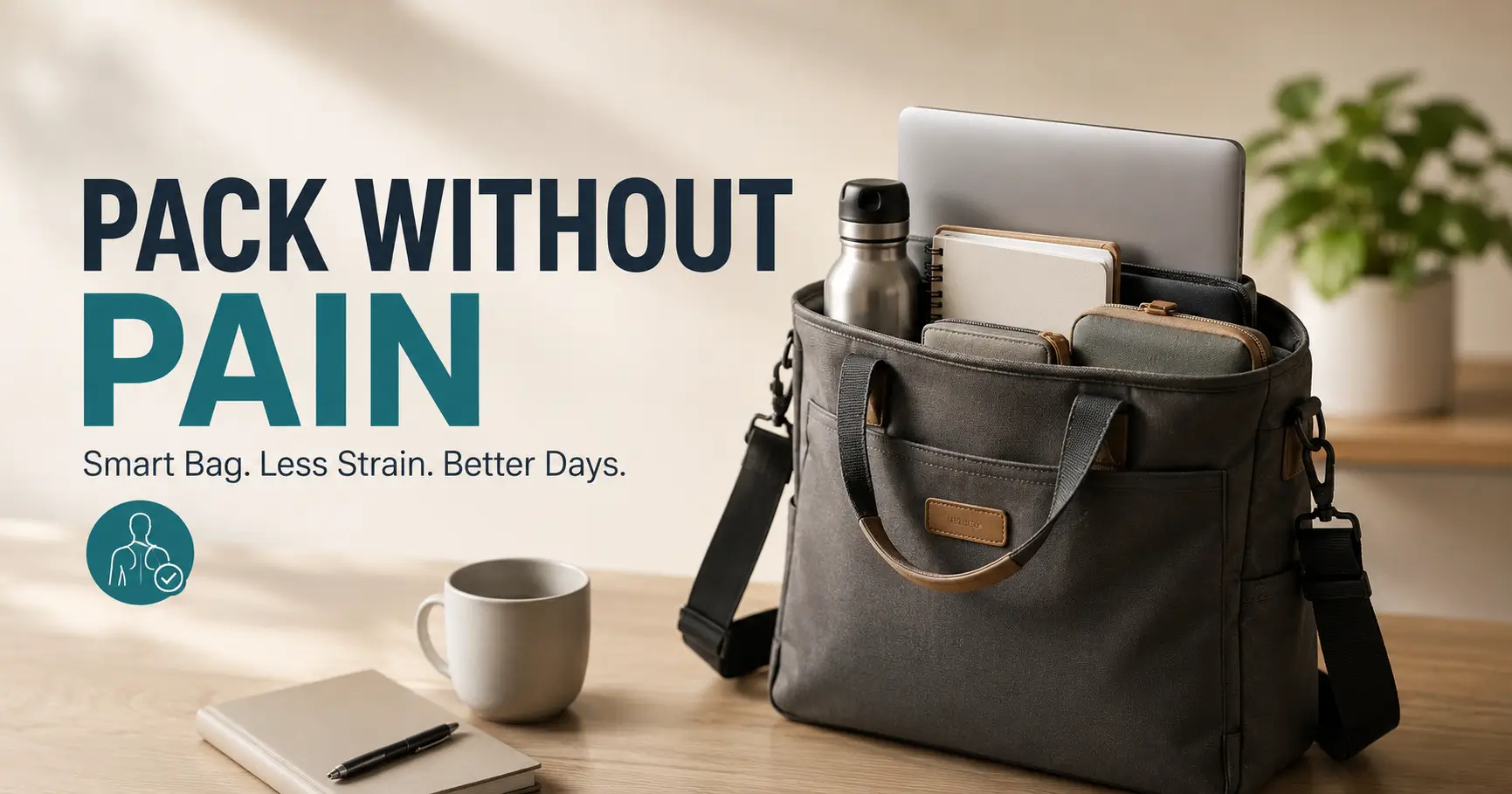
Shoulder-friendly workday setup
How to Pack a Work Bag With Shoulder Pain
Without Making It Worse
A work bag can look harmless sitting by the door. Then you lift it, the strap bites into the same sore spot, and your shoulder quietly files a complaint before the day has even begun. For commuters, teachers, nurses, students, office workers, and laptop-hauling hybrid employees, the problem is rarely one dramatic object. It is the little daily burden: charger, bottle, notebook, keys, cosmetics, badge, umbrella, and the mystery coins gathering at the bottom like tiny dumbbells.
The goal is not to buy a perfect bag and hope it performs magic. The real win is to reduce the load, place weight where your body can tolerate it, choose straps that do not punish one shoulder, and build a simple packing rhythm you can repeat on tired mornings. A shoulder-friendly bag is less about style category and more about load control.
This guide gives you a practical system: what to remove first, where heavy items should go, when a backpack beats a tote, how to handle laptops, and when shoulder pain is a sign to stop tinkering with the bag and ask a clinician for help.
Lighten first
Remove the sneaky weight before buying anything new.
Pack by zone
Keep dense items close, low, and centered.
Know when to stop
Red flags mean the bag may not be the root problem.
One small subtraction from your bag can feel like mercy to an irritated shoulder. 🎒
Snapshot
This article is for people who carry a work bag most days and notice shoulder soreness, tension, or fatigue from laptops, straps, bottles, and daily essentials. You will learn how to reduce weight, choose safer carrying options, pack heavy items correctly, compare bag types, and decide when pain deserves medical attention instead of another bag experiment.
Table of Contents
Before You Pack Around Shoulder Pain
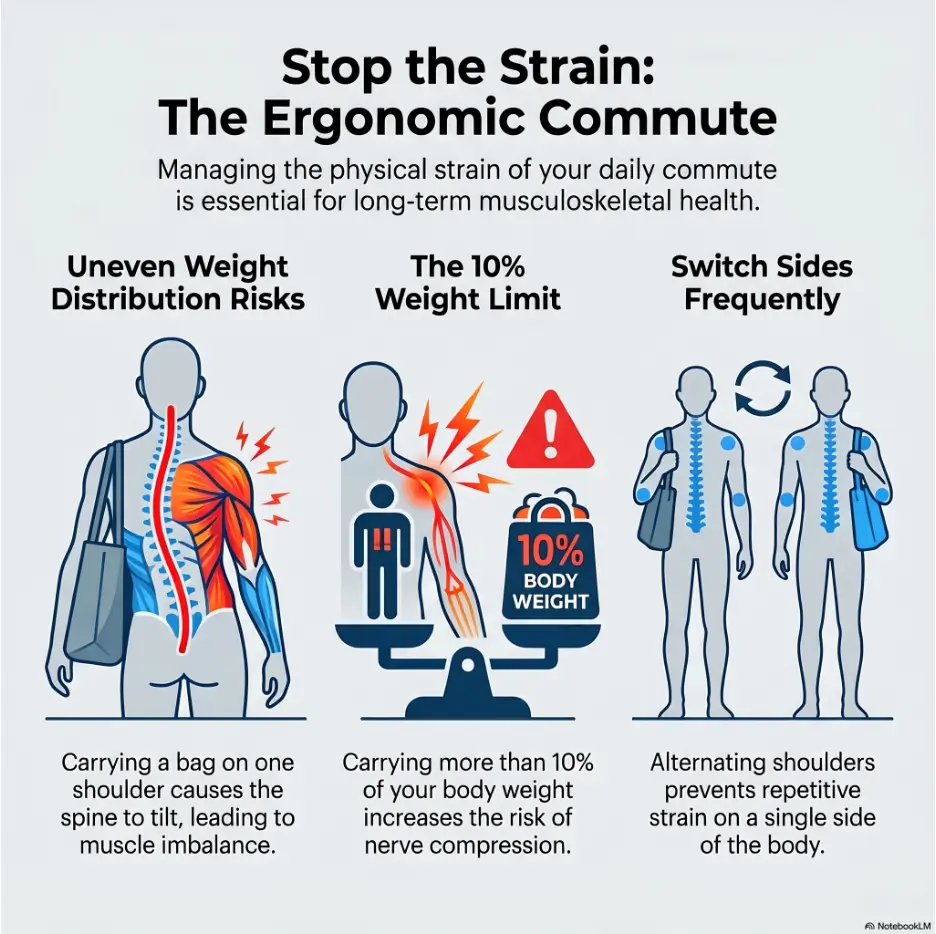
Shoulder pain is not one single problem wearing different outfits. It may come from muscle strain, tendon irritation, rotator cuff trouble, neck referral, nerve irritation, arthritis, inflammation, or an injury that has nothing to do with your bag. That is why the first step is not buying a new tote with heroic marketing copy. The first step is paying attention to what your body is telling you.
This guide focuses on everyday ergonomic changes for mild to moderate discomfort connected with carrying a work bag. It can help you reduce load, change how your bag sits, and avoid common packing mistakes. It cannot diagnose shoulder pain, rule out a medical condition, or tell you whether it is safe to continue carrying weight.
Before You Act
Use this article as a comfort and organization guide, not medical advice. If pain is severe, sudden, worsening, persistent, linked to an injury, or paired with numbness, weakness, chest pain, shortness of breath, swelling, fever, or pain traveling down the arm, seek medical guidance promptly. A lighter bag should make ordinary carrying easier. It should not become a way to ignore symptoms that need care.
Who This Is For
This is for office workers carrying laptops, teachers hauling papers, healthcare staff moving between shifts, students with tablets and books, commuters balancing coffee and transit cards, and hybrid workers whose bag has become a portable office.
It is especially useful if your shoulder feels tired, tight, pinched, or sore after carrying a tote, purse, messenger bag, laptop bag, or backpack.
Who Should Be More Cautious
Be more careful if you are recovering from shoulder surgery, wearing a sling, dealing with nerve symptoms, or already under care for a neck, spine, or orthopedic condition. In that case, packing advice should support your clinician’s plan, not compete with it.
If typing is also bothering your shoulder, a related setup issue may be hiding at your desk. You may find this guide on typing with a shoulder sling useful if you are recovering and trying to keep work tasks manageable.
Make the Bag Lighter Before You Make It Smarter
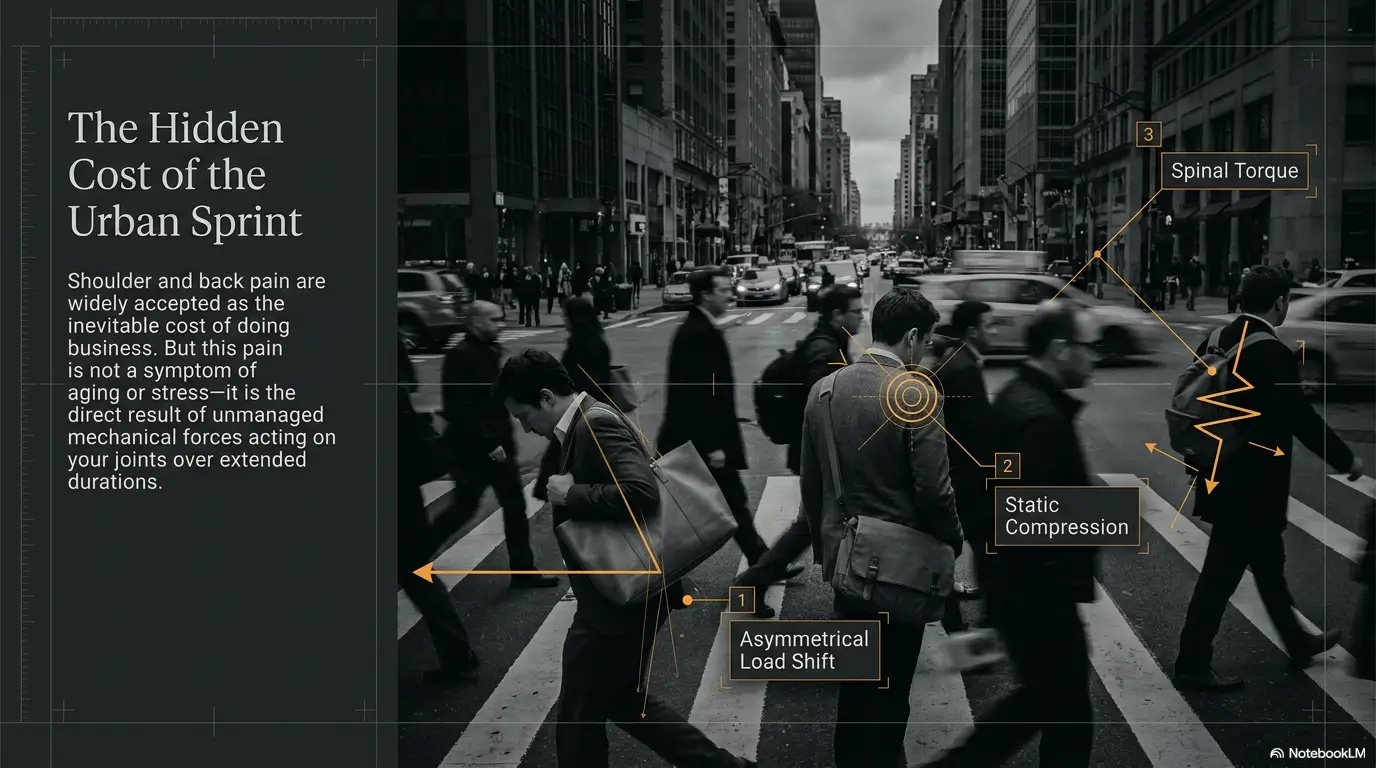
The safest packing trick is not clever. It is subtraction. A perfectly organized heavy bag is still heavy. The shoulder does not give bonus points for neat compartments.
Before you compare backpacks, rolling bags, strap pads, or laptop sleeves, remove everything from the bag and place it on a table. The pile will tell the truth. Most work bags collect old receipts, duplicate pens, full-size products, forgotten snacks, extra notebooks, coins, and chargers that no longer belong to any living device.
The 10-Minute Bag Audit
Divide every item into three groups: daily, sometimes, and “why is this still here?” Daily items earn a place. Sometimes items need a separate plan. Mystery items leave immediately.
- Daily: laptop, badge, wallet, keys, phone, essential medication, glasses, one charger if needed.
- Sometimes: umbrella, extra shoes, lunch container, paper files, gym clothes, printed notes.
- Remove: old papers, duplicate cosmetics, coins, extra notebooks, full-size toiletries, unused tech accessories.
The Hidden Weight Problem
One heavy laptop is obvious. Ten small objects are sneakier. A water bottle, power bank, notebook, umbrella, makeup pouch, keys, case, and charger can quietly create a bag that pulls your shoulder forward every time you walk.
For shoulder pain, hidden weight matters because the tissue may already be sensitive. A modest load can feel unreasonable when it sits on the same sore area every day.
Key Takeaway
Do not begin by asking, “What bag should I buy?” Begin by asking, “What can stop commuting with me?” A lighter bag makes every strap, handle, and carrying style work better.
Keep One Day, Not One Life
A work bag should serve the day in front of you, not every possible version of the week. Packing for imaginary emergencies turns a normal commute into a shoulder endurance test.
Try this simple rule: if you have not used an item during the last five workdays, it does not get automatic daily status. It can live at home, at work, in the car, or in a separate occasional bag.
| Item Type | Common Problem | Shoulder-Friendlier Move |
|---|---|---|
| Full-size water bottle | Adds dense weight all day | Carry smaller, refill at work |
| Duplicate charger | Heavy charging brick repeats daily | Keep one at home and one at work if possible |
| Paper notebook | Stacks with laptop and tablet | Use one slim notebook or digital notes |
| Cosmetic pouch | Often grows unnoticed | Carry only daily touch-up items |
| Old papers | Weight with no purpose | Clear every Friday |
Where Heavy Items Belong in a Shoulder-Friendly Work Bag
Weight placement changes how a bag pulls on your body. The same laptop can feel calmer when it sits close to you and more irritating when it hangs at the outer edge of a bag like a tiny anchor.
Think close, low, and centered. That phrase is the compass for shoulder-friendly packing.
Keep the Laptop Close to Your Body
Your heaviest flat item should sit against the body-facing side of the bag. In a backpack, that means the padded back panel. In a tote or messenger bag, it means the side closest to your torso.
When the laptop sits farther away, the bag can pull your shoulder forward and down. The weight has more sway, and your neck and upper back may join the complaint department.
Put Dense Items Low and Centered
Chargers, power banks, books, tablets, and water bottles should not float around in outer pockets. Dense items do better low and centered, where they are less likely to swing or tilt the bag to one side.
If your bag has a bottom compartment, use it carefully. Low is helpful. Low and lopsided is not. A water bottle on one outer side pocket can still create uneven pull.
Stop the Swing
A swinging bag turns each step into a small tug. You may not notice the motion in the first block. By the end of the commute, your shoulder may notice plenty.
Tighten straps so the bag sits near your body. Use internal pockets or small pouches to stop items from sliding. A stable bag is quieter on your joints than a floppy one.
Key Takeaway
If an item is heavy, it should not live in an outer pocket. Put it close to your body, low enough to stay stable, and centered enough that the bag does not twist your posture.
Show me the nerdy details
Carrying comfort is partly about load and partly about leverage. When weight sits farther from your body, it can create more pulling force because your shoulder and trunk must control the bag’s distance, sway, and rotation. A dense laptop at the outside of a tote can feel worse than the same laptop against the body-facing side. This is also why a loose crossbody bag may feel secure at first but irritating after a long walk. The strap holds the bag on you, but your shoulder, neck, trunk, and opposite side still have to manage the swinging mass. The practical lesson is simple: reduce the weight, shorten the distance between the load and your body, and stop the bag from moving around.
Backpack, Tote, Messenger, or Rolling Bag: What Actually Changes
Bag style matters, but not in the way product pages often imply. A backpack can still hurt if it is overloaded and hanging low. A tote can be fine if it is light and carried for a short distance. A rolling bag can be excellent in one commute and annoying on stairs.
The question is not “What is the best work bag for shoulder pain?” The better question is “Which carrying method reduces one-sided strain for my actual workday?”
Backpack: Best for Balanced Loads
A two-strap backpack often works best when you carry a laptop and several essentials. It spreads weight across both shoulders and keeps the load closer to your back when adjusted well.
Look for wide padded straps, a padded laptop sleeve near the back panel, a stable base, and enough compartments to stop weight from sliding. Keep both straps on. Wearing one backpack strap defeats the point and turns the bag into a lopsided messenger.
Tote: Fine Only When Very Light
A tote is convenient because it opens easily and looks polished. But shoulder pain does not care about polish. Thin straps can concentrate pressure on a small area, and the one-sided load can pull your shoulder down.
A tote can work for a short walk, light items, and non-laptop days. It becomes a shoulder trap when it carries a laptop, charger, water bottle, notebook, lunch, and half a drawer of small objects.
Messenger Bag: Use With Caution
Messenger bags feel secure because the strap crosses the body. They also make it easy to overload one side. If the bag rests low, swings while walking, or pulls across the neck, it can irritate the shoulder and upper back.
If you use one, keep it light, shorten the strap, place heavy items close to your body, and switch sides when practical. A strap pad may help with pressure, but it will not erase excess weight.
Rolling Bag: Underrated for Heavy Commutes
A rolling work bag can be a sensible option if you carry files, medical gear, teaching supplies, heavy technology, or work materials every day. It moves weight away from the shoulder and onto wheels.
The tradeoff is terrain. Stairs, snow, crowded trains, cobblestones, and uneven sidewalks may make rolling awkward. If your commute is mostly smooth floors, elevators, sidewalks, and parking lots, a rolling option may be worth comparing.
| Bag Type | Best For | Watch Out For | Shoulder-Friendly Tip |
|---|---|---|---|
| Backpack | Laptop plus daily essentials | Overpacking or low straps | Use both straps and keep laptop against back panel |
| Tote | Light, short-distance carrying | Thin straps and one-sided load | Use only on light days |
| Messenger | Quick access and moderate loads | Crossbody pull and swinging | Shorten strap and keep dense items centered |
| Rolling bag | Heavy work materials | Stairs, rough ground, crowded transit | Compare handle height and wheel stability |
The Laptop Problem No One Wants to Admit
For many workers, the laptop is the main culprit. The laptop itself may not be outrageous, but the ecosystem around it adds weight: charger, mouse, adapter, tablet, notebook, privacy screen, headset, and protective sleeve.
A laptop bag can cause shoulder pain not because laptops are villainous little rectangles, but because they are dense, flat, and easy to carry every day without questioning the total load.
Try a Desk Charger Strategy
If your budget and workplace setup allow, consider keeping one charger at home and one at work. This is not glamorous. It is one of the most practical low-drama fixes for people whose charger brick commutes daily like a tired little passenger.
If you cannot duplicate the charger, ask whether you can keep a shared spare in a desk drawer or locker. For students, a campus library, lab, or department space may have charging options that reduce the need to carry every accessory.
Use Digital Notes When Practical
Not every paper system needs to disappear. Some people think better with a pen. But if your bag holds a laptop, tablet, planner, and thick notebook, something may be duplicating a job.
Try one week with a slim notebook, scanned documents, or digital notes. The goal is not to become a minimalist monk. The goal is to stop carrying paper you do not actually use.
Fix the Workstation Too
If your shoulder hurts from carrying the laptop and then keeps hurting while typing, the bag may only be half the story. Desk height, mouse reach, screen position, and arm support can keep the shoulder irritated after you arrive.
For a deeper workstation angle, read the guide to an ergonomic mouse for shoulder pain or the article on neck and shoulder pain from laptop work. Your bag and desk should be on the same team.
Short Story: Maya and the Bottomless Tote
Maya worked three days in the office and two days at home. Her tote looked elegant, soft, and innocent. By Wednesday, her right shoulder felt as if someone had tightened a screw under the collarbone.
One evening, she emptied the bag onto the kitchen table. Out came a laptop, charger, tablet, two notebooks, a full water bottle, a paperback, four lip products, loose coins, old meeting handouts, and an umbrella from a sunny week.
She did not buy anything. She kept a charger at the office, switched to one slim notebook, used a smaller bottle, and moved the laptop to a two-strap backpack for commute days.
Her shoulder did not become perfect overnight. But the morning carrying pain dropped enough that she finally noticed the real pattern: the bag had been asking one shoulder to do a two-shoulder job.
A Shoulder-Friendly Packing Map You Can Copy Tonight
A good packing layout should make your bag boring in the best way. No sliding. No swinging. No dense objects dragging from the front pocket. No water bottle turning the bag into a leaning tower of regret.
Use the four-zone map below for backpacks, totes, and messenger bags. Adjust the exact pockets to match your bag, but keep the principle the same.
The Shoulder-Friendly Bag Map
1. Back Zone
Laptop, tablet, flat tech. Keep closest to body.
2. Middle Zone
Notebook, folder, pouch. Keep centered and stable.
3. Front Zone
Keys, badge, wallet, earbuds. Keep light and easy.
4. Side Zone
Small bottle only. Avoid heavy one-sided tilt.
Back Zone: Laptop and Tablet
Place flat, heavy technology closest to your body. If your bag has a padded sleeve on the back panel, use it. If it does not, place the laptop in a sleeve and position it against the body-facing wall of the bag.
Middle Zone: Notebook, Folder, Small Pouch
Medium-weight items belong in the center. A notebook, thin folder, small tech pouch, or lunch container should not drag the bag forward or to one side.
Front Zone: Light, Quick-Grab Items
Outer pockets are for light items you reach for often: badge, keys, wallet, earbuds, transit card, lip balm, and tissues. Do not turn the front pocket into a hardware store drawer.
Side Zone: Water Bottle With Boundaries
Water is important. Carrying a giant full bottle all day is not always kind to your shoulder. Use a smaller bottle and refill at work when possible.
Key Takeaway
Outer pockets are not storage units. Keep them light. Heavy items belong close to your body, not hanging from the bag’s far edge.
Pain-Smart Carrying Habits During the Commute
How you lift and carry the bag matters almost as much as what you put inside it. Many people pack carefully, then yank the bag onto the same sore shoulder while twisting toward the door. The exit move ruins the setup.
Put the Bag On Carefully
Use both hands when lifting a heavier bag from the floor, chair, or car seat. Bring it close to your body before putting it on. Avoid swinging it up with one arm, especially if that is the painful side.
If you use a backpack, place one strap on, then the other, without shrugging the shoulders toward your ears. Adjust the straps so the bag sits high enough that it does not bounce against your lower back.
Switch Before It Hurts
If you use a one-strap bag, switch sides early rather than waiting for pain. Once the shoulder is already irritated, the rest of the commute becomes damage control.
That said, switching sides is not a cure for a heavy one-strap bag. It is a temporary relief strategy. If the bag is heavy most days, a two-strap or rolling option usually deserves serious consideration.
Use Your Whole Body, Not Just One Shoulder
When lifting the bag from a car, train seat, or office floor, turn your body toward it. Avoid twisting and reaching at the same time. Support the bottom of the bag when it is heavy.
On transit, set the bag down when safe. Standing with a loaded bag hanging from one shoulder for a long ride can undo a careful packing system.
Commute Micro-Checklist
- Lift the bag with both hands when it is heavy.
- Keep the bag close to your body before putting it on.
- Use both backpack straps.
- Shorten loose straps to reduce swinging.
- Set the bag down during long waits when safe.
- Switch one-strap bags before pain builds.
Free Fixes, Low-Cost Upgrades, and When Better Gear May Be Worth It
Shoulder-friendly packing does not need to begin with shopping. Many people can reduce discomfort by removing weight, changing item placement, and adjusting strap length. Those are free fixes, and they should come first.
Paid gear may be worth considering when your workday consistently requires more weight than your current bag can carry comfortably. The best purchase is not the most expensive one. It is the one that matches your commute, load, body size, and work routine.
Good / Better / Best Setup for Shoulder Pain
| Setup | Best For | What It Costs | What to Compare |
|---|---|---|---|
| Good | Light daily carry with mild discomfort | Free | Remove unused items, reposition laptop, shorten straps, reset weekly |
| Better | Moderate laptop carry most days | Low to mid-range | Wide padded straps, stable compartments, lightweight materials, laptop sleeve placement |
| Best | Heavy files, gear, supplies, or long commutes | Mid-range to premium | Two-strap support, chest strap if useful, rolling option, handle height, warranty, return policy |
Features Worth Comparing Before Buying
If you are shopping for a work bag for shoulder pain, focus on function before branding. A beautiful bag that places heavy items far from your body may be a very stylish problem.
- Strap width: Wider straps spread pressure better than thin straps.
- Padding: Padding helps with contact pressure, especially on sensitive areas.
- Bag weight: A heavy empty bag starts the day at a disadvantage.
- Laptop position: The sleeve should sit close to your body.
- Compartment layout: Good pockets prevent sliding and swinging.
- Return policy: Test comfort with your real load before committing.
When Paid Help May Be Worth It
If shoulder pain keeps returning even after reducing your bag load, a professional evaluation may be more useful than another accessory. A physical therapist, occupational therapist, primary care clinician, or orthopedic specialist may help identify whether the pain is coming from the shoulder, neck, posture, work tasks, or a specific injury.
If you are preparing for a medical visit, bring details. Note when the pain started, what makes it worse, whether carrying triggers it, and whether symptoms travel into the arm or hand. This guide on how to describe pain to a doctor can help you organize the story without freezing in the exam room.
Key Takeaway
Spend money only after you know the problem. If the issue is excess weight, buy less by carrying less. If the issue is one-sided load, compare two-strap or rolling options. If pain persists, consider professional guidance.
When to Seek Help Instead of Repacking Again
A better-packed bag should reduce irritation during ordinary carrying. If the pain does not improve, the bag may not be the main problem. This is where practical self-care should become practical honesty.
Pain That Persists or Worsens
Seek medical guidance if shoulder pain lasts more than a few days to weeks, keeps returning, interferes with sleep or daily activities, or worsens despite reducing load and changing how you carry.
Also get help if you notice loss of motion, weakness, clicking after injury, swelling, or pain that makes it difficult to lift the arm for normal tasks.
Red Flags That Need Prompt Attention
Some symptoms should not be treated as a packing puzzle. Get urgent help for chest pain, shortness of breath, sudden weakness, numbness, severe pain, fever, swelling, injury after a fall, or pain that travels down the arm.
If symptoms feel unusual, intense, or frightening, it is safer to ask for medical guidance than to keep testing different strap positions.
Prepare for a Clinician Visit
Good notes make medical visits easier. Track what you carried, which shoulder hurt, how long the pain lasted, and what helped. A simple pain log can turn vague frustration into useful information.
If you need a structured way to record patterns, use this pain flare trigger log. If you are planning an orthopedic visit, the orthopedic appointment checklist can help you bring the right details.
FAQ
Is a backpack better than a tote for shoulder pain?
Usually, yes. A backpack with two wide padded straps can distribute weight more evenly than a tote carried on one shoulder. It still needs to be packed lightly and adjusted so it does not hang low or swing.
How heavy should my work bag be if I have shoulder pain?
The lighter the better. Instead of chasing a universal number, remove unnecessary items first and test whether the reduced load feels comfortable during your normal commute. If pain persists, ask a clinician for guidance.
Should I use one strap or two straps?
Two straps are generally better for heavier daily loads because they reduce one-sided pulling. One-strap bags should stay very light, sit close to the body, and be switched from side to side when practical.
Can a laptop bag cause shoulder pain?
Yes. A laptop, charger, tablet, mouse, notebook, and water bottle can create enough load to irritate the shoulder, neck, and upper back, especially when carried on one side every day.
Is a rolling work bag worth it?
It can be worth it if you carry heavy work materials daily and your route has smooth floors, sidewalks, elevators, or parking areas. It may be less useful if your commute involves many stairs, crowded trains, or rough pavement.
Where should I put my laptop in my bag?
Place it close to your body, ideally against the back panel of a backpack or the body-facing side of a work bag. Avoid placing it in an outer pocket where it can pull the bag away from you.
Should I carry my water bottle in my bag?
A smaller bottle is often easier on the shoulder. Refill at work when possible instead of carrying a large full bottle all day. If your bottle makes the bag tilt, move it or choose a lighter option.
What should I remove from my work bag first?
Start with duplicates, full-size toiletries, old papers, coins, extra notebooks, heavy chargers, unused tech accessories, and anything you have not used in the past week.
Your 15-Minute Work Bag Reset
Tonight, do not redesign your life. Just empty the bag on a table. Remove five items you do not need tomorrow. Put the laptop close to your body. Move dense items low and centered. Shorten the straps. Then lift the bag and notice whether your shoulder receives it with less protest.
That is the quiet power of a shoulder-friendly work bag. It does not ask you to become a different person. It asks the bag to stop making the same small mistake every morning.
The 15-Minute Reset
- Empty the bag completely.
- Remove five nonessential items.
- Place the laptop against the body-facing side.
- Move chargers, books, and bottles low and centered.
- Keep front pockets light.
- Put the bag on carefully and test the feel before tomorrow’s commute.
Last reviewed: 2026-07